Understanding Zoho Consulting Services in Australia: From Setup to Workflow Optimization
By visioninfo
72 Views
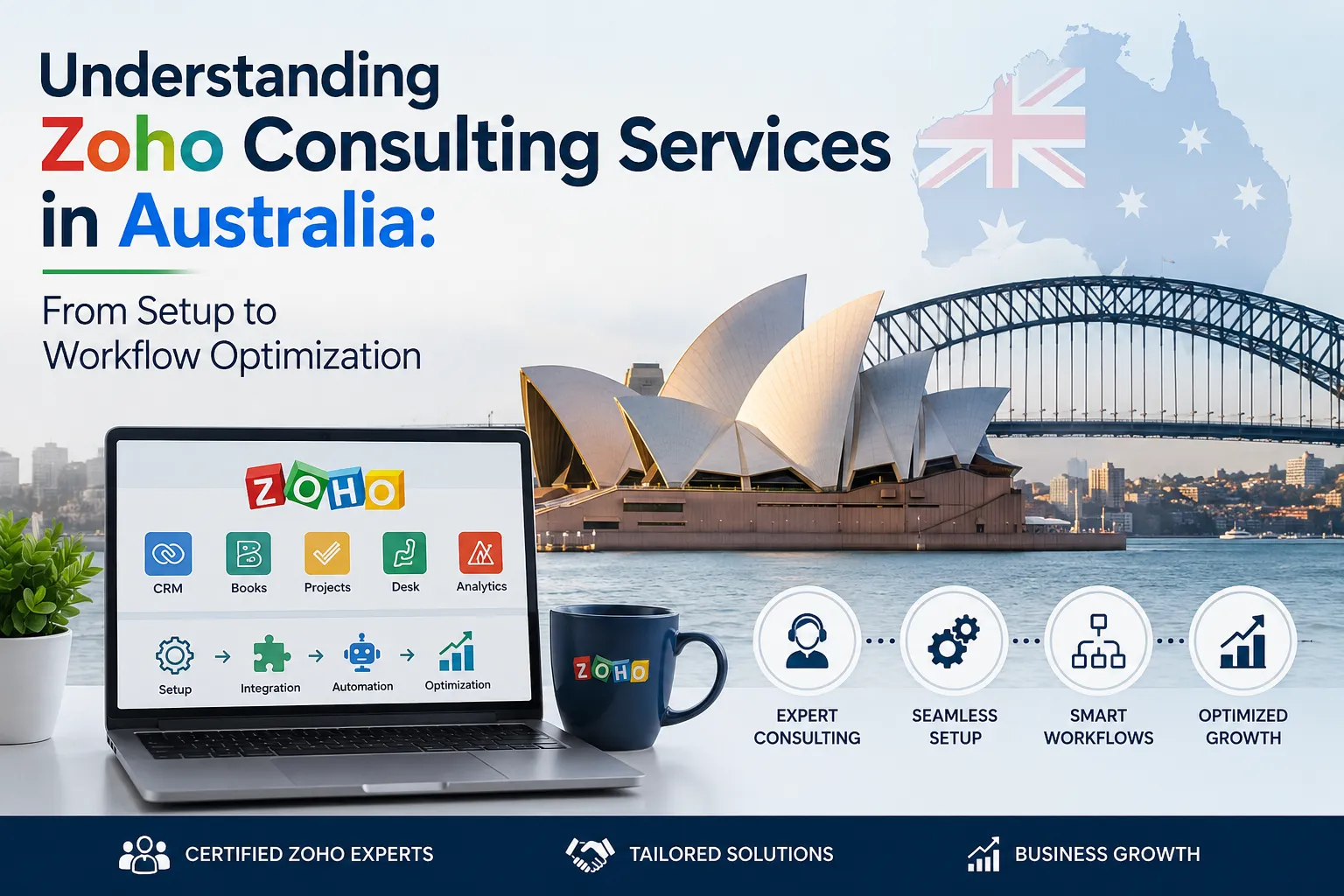
Australian businesses are under constant pressure to work smarter, respond faster, and keep operating costs under control. As companies grow, managing customer information, sales activities, accounting, projects, and internal processes across disconnected systems can become difficult. This is where Zoho Consulting Services can make a practical difference.
Zoho offers a broad ecosystem of business applications, but simply purchasing software does not automatically create an efficient business process. The real value comes from configuring the platform around the way a company actually works. This can include CRM setup, custom fields, automation, reporting, accounting integration, workflow design, data migration, and employee training.
For Australian businesses, this approach can be particularly useful because Zoho Books provides Australia-focused accounting capabilities, including GST and BAS reporting, while supporting integrations across the wider Zoho ecosystem.
In this guide, we will explore how Zoho Consulting Services in Australia can help businesses move from basic setup to practical workflow optimization, including solutions for real estate, property management, and accounting integrations.
What Are Zoho Consulting Services?
Zoho Consulting Services are professional services designed to help businesses implement, customize, integrate, and optimize Zoho applications according to their operational requirements.
Think of it this way: buying Zoho applications gives your business the tools, but consulting helps you determine how those tools should work together.
For example, a business may use Zoho CRM to manage leads but still manually create quotations, update spreadsheets, send follow-up emails, and communicate invoice information to its finance team. A properly designed Zoho environment can connect many of these activities into one structured workflow.
A consultant typically begins by understanding the company's existing process. Instead of immediately creating fields and automation rules, they identify where employees spend unnecessary time, where information gets duplicated, and where important customer or financial data can be lost.
The goal is not to automate everything. The goal is to automate the right things.
Why Australian Businesses Are Exploring Zoho
Australian businesses range from small service providers and startups to established companies with multiple departments. Their technology requirements can therefore vary significantly.
Zoho Books, for example, is designed for Australian accounting requirements and includes features for GST invoices and BAS reporting. It also provides receivables, payables, inventory, banking, projects, timesheets, contacts, and reporting capabilities.
This makes the platform relevant to businesses that want to bring several operational functions into a connected digital environment.
However, every company has its own way of working.
A construction company may need project-based invoicing. A property management company may need lead tracking, inspections, tenant communication, and maintenance workflows. A professional services firm may need lead qualification, proposals, project management, timesheets, and automated billing.
This is why implementation should be based on business processes rather than simply following a standard software setup.
From Zoho Setup to Business-Wide Optimization
A successful Zoho implementation usually develops in stages. Businesses can begin with a straightforward setup and gradually introduce customization and automation as their requirements become clearer.
1. Business Process Discovery
The first step is understanding how the business currently operates.
A consultant may review the sales process, customer onboarding, accounting workflow, reporting requirements, employee responsibilities, and existing software.
For example, imagine an Australian property management company receiving enquiries through its website, phone, email, and property portals. If every enquiry is entered manually into different spreadsheets, staff may struggle to maintain an accurate view of prospects.
A Zoho consultant can map the process from the initial enquiry through qualification, property matching, appointment scheduling, follow-up, and conversion.
This creates a foundation for a more organized implementation.
2. Zoho Application Setup
Once business requirements are understood, the next stage is configuring the appropriate Zoho applications.
Depending on the company, this may involve Zoho CRM, Zoho Books, Zoho Creator, Zoho Projects, Zoho Desk, Zoho Expense, Zoho Flow, or other applications.
The objective is to avoid unnecessary complexity.
A small company may only need CRM and Books initially. A larger organization may require several connected applications.
Proper setup can include user roles, permissions, modules, fields, layouts, dashboards, email configurations, pipelines, forms, and business rules.
Zoho Books, for instance, supports role-based access, allowing businesses to provide employees and accountants with appropriate access to financial information.
3. Zoho CRM Customization
Every business does not manage customers in exactly the same way.
A standard CRM may provide common fields such as company name, contact name, phone number, email, and deal stage. But organizations often require additional information.
A real estate company might need property type, preferred location, budget range, financing status, inspection date, and buying timeline.
A consulting company may need service type, project value, decision-maker, proposal status, and expected start date.
With Zoho CRM customization, these requirements can be reflected in the CRM rather than forcing employees to maintain separate spreadsheets.
Custom dashboards can also help managers understand sales performance, lead sources, conversion rates, and pipeline activity.
The result is a CRM that reflects the business instead of making employees adapt their processes around generic software.
4. Workflow Automation
One of the most valuable parts of Zoho Consulting Services is workflow automation.
Businesses often lose significant amounts of time performing repetitive activities. Someone may need to send a confirmation email, update a lead status, create a task, notify a manager, or generate another record after a specific event.
Zoho workflows can reduce this manual effort.
For example, when a new lead is submitted, a workflow could assign it to the appropriate salesperson. When the deal reaches a particular stage, a follow-up task could be created automatically. After a successful sale, the next stage of the customer journey could begin.
Zoho Creator's workflow functionality supports event-based and scheduled automation, including notifications, record updates, approvals, and integrations with external systems.
Good automation should make employees' jobs easier without making the system difficult to understand.
Zoho for Real Estate and Property Management
The real estate and property management industry is a strong example of where connected workflows can create operational improvements.
Businesses often manage large volumes of property information, leads, owners, tenants, inspections, enquiries, appointments, maintenance requests, and financial transactions.
Using Zoho for Real Estate And Property Management can help bring these processes into a more structured environment.
For example, a potential buyer may submit an enquiry about a property. The information can be captured in CRM, assigned to an agent, and followed up according to predefined rules.
The agent can record communication, property preferences, viewing appointments, and deal progress in one place.
Property management businesses can also structure information around properties, owners, tenants, leases, maintenance requests, and service providers.
The exact configuration depends on the business model, but the central idea remains the same: connect information so employees do not have to repeatedly search across different systems.
This can also improve customer experience. When employees have access to relevant information, they can respond to questions more quickly and provide more consistent service.
Zoho QuickBooks Integration Services
Accounting is another area where businesses frequently experience disconnected workflows.
Companies moving from QuickBooks or working with QuickBooks-related processes may need a clear strategy for handling financial data, customers, products, invoices, and historical information.
This is where Zoho QuickBooks Integration Services can become relevant.
There is an important distinction between integration and migration.
Migration means moving data from QuickBooks into Zoho Books. Zoho provides a migration process that can bring information such as the chart of accounts, customers, vendors, products and services, transactions, and opening balances into Zoho Books.
Integration, on the other hand, is about connecting systems or workflows so that information can move between applications.
Before making either decision, businesses should evaluate what information needs to be retained, what systems should remain active, how financial data will be managed, and what the accounting team requires.
This is one reason professional consulting can be valuable. A consultant can help businesses plan the transition rather than simply importing data and hoping everything works afterward.
Connecting Zoho CRM and Zoho Books
For businesses that want sales and finance teams to work from connected information, Zoho CRM and Zoho Books can work together.
Zoho's documentation explains that the integration can allow customer and accounting information to be accessed across the two applications, with options for syncing customers, vendors, and items.
This can eliminate unnecessary duplication.
Consider a typical sales process.
A salesperson closes a deal in CRM. Finance then needs to create an invoice. In a disconnected environment, someone may need to copy customer information and deal details manually.
With an appropriately configured CRM and Books workflow, the process can be more connected. Zoho also supports workflow triggers that can create or manage accounting transactions based on CRM events.
For example, an organization can configure a process where winning a potential triggers invoice creation.
The exact workflow should always be designed around the company's accounting controls and approval requirements rather than implemented blindly.
Data Migration and Cleanup
Moving to a new system is not simply a matter of transferring records.
Old databases often contain duplicate customers, outdated contacts, inconsistent naming conventions, incomplete information, and unused fields.
If poor-quality data is transferred into Zoho, the new system can inherit the same problems.
A strong consulting approach therefore includes data review and cleanup before migration.
For example, two records such as:
ABC Property Group Pty Ltd
and
ABC Property Group
could potentially represent the same organization.
Without proper review, this can create duplicate reporting and communication problems.
Data mapping is equally important. Businesses need to determine which old fields correspond to new Zoho fields and which historical information should actually be migrated.
This preparation can make the final system cleaner and easier for employees to use.
Reporting and Business Intelligence
Automation is useful, but businesses also need visibility.
Zoho Consulting Services can help organizations design dashboards and reports that answer practical questions.
Sales managers may want to know which sources generate the most qualified leads. Business owners may want to monitor revenue and outstanding receivables. Property managers may want to understand enquiry volumes and conversion rates.
Zoho Books provides a broad reporting environment, including financial and GST-related reports, while supporting scheduled report sharing.
The key is to avoid creating dozens of reports that nobody uses.
A better approach is to identify the decisions managers make regularly and build reporting around those decisions.
Employee Training and User Adoption
Even the best Zoho implementation can fail if employees do not understand how to use it.
Training should therefore be treated as part of the implementation, not as an afterthought.
Employees need to understand not only which buttons to click, but also why the new workflow exists.
For example, salespeople should understand why leads must be updated after calls. Finance teams should know how accounting information flows from CRM. Managers should understand how dashboards are calculated.
Simple documentation, practical demonstrations, role-based training, and ongoing support can make adoption easier.
This is an area where Vision Infotech can help businesses approach Zoho implementation from both a technology and business-process perspective.
Why Choose Vision Infotech for Zoho Consulting?
At Vision Infotech, the focus is on helping businesses use technology to solve practical operational challenges.
Zoho implementation should not be treated as a one-size-fits-all installation. Every company has different processes, employees, customers, data, and growth objectives.
A thoughtful consulting approach starts with understanding those differences.
Vision Infotech can help businesses assess their current processes, plan Zoho implementation, customize CRM, connect applications, improve workflows, support data migration, and provide guidance for ongoing optimization.
The objective is straightforward: create a Zoho environment that employees can actually use and management can rely on.
Whether the requirement involves CRM customization, accounting workflows, Zoho QuickBooks Integration Services, automation, or industry-specific solutions such as Zoho for Real Estate And Property Management, the implementation should be connected to measurable business needs.
Common Mistakes Businesses Should Avoid
One common mistake is trying to automate everything immediately.
Automation should be introduced after the underlying process is understood. Automating a poorly designed process can simply make the problem happen faster.
Another mistake is giving every employee access to everything. Proper roles and permissions help protect information and keep the system organized.
Businesses should also avoid excessive customization. Customization is useful when it solves a genuine business requirement, but unnecessary complexity can make the system harder to maintain.
Finally, companies should not ignore user feedback. Employees working with the system every day often identify practical issues that may not be obvious during the initial implementation.
How to Measure the Success of Zoho Implementation
The success of a Zoho project should not be measured only by whether the software has been installed.
Businesses should look at practical outcomes.
Are employees spending less time entering duplicate information? Are leads being followed up more consistently? Can managers find important information faster? Are invoices being generated with fewer manual steps? Has reporting become easier?
These measurements provide a much clearer picture of whether the implementation is delivering value.
For example, if a sales team previously spent hours every week manually transferring customer information between CRM and accounting software, reducing that work can create a measurable productivity improvement.
Likewise, a property management company may benefit if enquiries are automatically assigned and followed up instead of being lost in email inboxes.
Conclusion
The value of Zoho Consulting Services goes beyond installing business applications. The real opportunity is to create connected processes that reduce repetitive work, improve information visibility, and help teams work more consistently.
For Australian businesses, the journey can begin with a basic Zoho setup and gradually expand into CRM customization, workflow automation, accounting integration, reporting, and industry-specific solutions.
Whether a company is exploring Zoho Consulting Services in Australia, planning Zoho for Real Estate And Property Management, or considering Zoho QuickBooks Integration Services, the most important step is to start with the business process rather than the software.
With the right strategy, Zoho can become more than another collection of applications. It can become a connected business environment that supports everyday operations and future growth.
Vision Infotech helps businesses take that approach by focusing on practical implementation, customization, automation, integration, and long-term usability.
FAQs
Is Zoho suitable for Australian businesses?
Yes. Zoho provides Australia-specific products and features. Zoho Books, for example, supports GST invoicing and BAS reporting and is available with integrations designed for business operations in Australia.
What do Zoho Consulting Services include?
Depending on business requirements, services can include consultation, implementation, CRM customization, workflow automation, application integration, data migration, reporting, training, and ongoing optimization.
Can Zoho integrate with accounting systems?
Zoho provides several accounting and business integrations. Zoho Books can integrate with Zoho CRM and other applications, while migration tools are available for businesses moving data from QuickBooks Online.
Is Zoho useful for property management companies?
Yes. Zoho can be configured to manage leads, customer relationships, property-related information, communication, tasks, workflows, and connected business processes. The exact setup should be designed according to the company's property management model.
Do businesses need a consultant to implement Zoho?
Not always. Smaller businesses with straightforward requirements may be able to configure basic applications themselves. However, businesses with complex workflows, integrations, large datasets, or industry-specific requirements can benefit from professional consulting.