Twitch Audience Tool vs. Basic Analytics: What Extra Data You Actually Get
By Viewbot.tv
60 Views
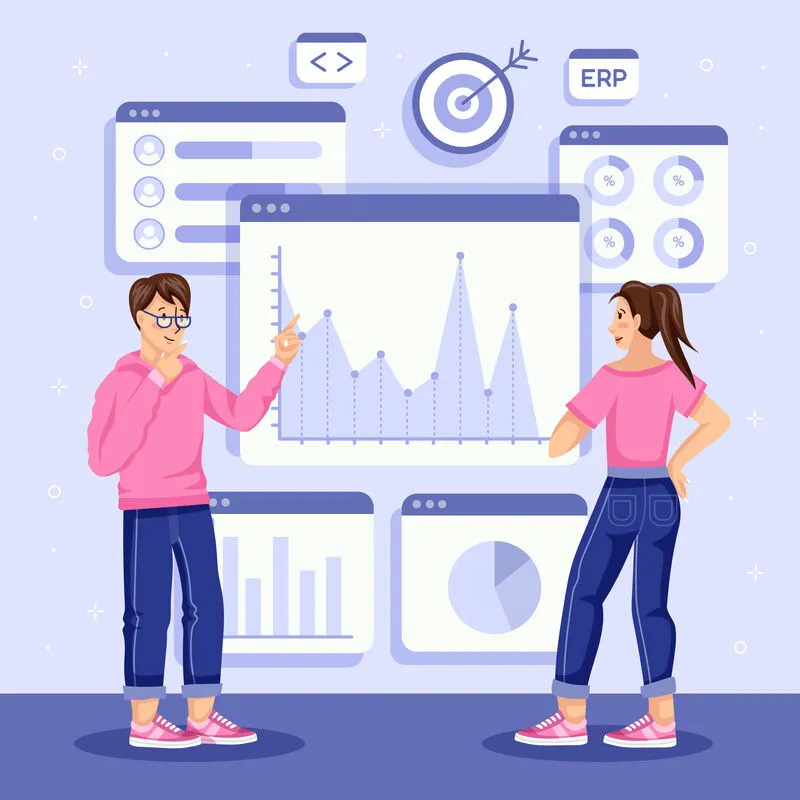
Twitch analytics can tell creators a surprising amount about their channels, but basic numbers do not always explain why viewers behave the way they do. A creator may know the average number of viewers, watch time, follows, or stream duration without knowing which parts of the broadcast created the strongest response.
That is where specialized audience tools can become useful. A Twitch audience tool may provide additional ways to organize, interpret, or monitor viewer information. However, creators should understand what extra data is genuinely available rather than assuming that every third-party dashboard provides hidden information that Twitch itself cannot provide.
What Basic Twitch Analytics Already Tell You
The built-in analysis tools on Twitch can offer insight into how well a channel or stream is doing. The kind of dashboard and the account features that are there for a creator to use may include metrics related to the number of viewers, total watch hours, fans, money earned, how long a stream lasts, and other metrics used in performance appraisal.
Such numbers can be guides for making choices. For instance, one type of content is continuously drawing in more people than another; that's a fact that's very useful to know. If the mean viewership is going up over several months, that might be a sign of improvement. Basic metrics may not answer the other questions.
The Difference Between Data and Interpretation
- Data tells you what happened.
- Interpretation helps explain why.
- Suppose a stream generated 30% more viewers than usual.
- Basic analytics may show the increase.
A more specialized tool might help organize related information, such as traffic patterns, timing, content segments, audience behavior, or historical comparisons, depending on what the platform and tool actually make available. That additional context can help creators make better decisions. However, creators should not assume that a third-party service has access to private Twitch information that it cannot legitimately obtain.
What Audience Tools Can Add
Organized audience tools usually have much more to offer. A good tool, for instance, might be one that displays a bunch of metrics that help creators make easy comparisons. It might also assist in tracking data across different periods, reporting, separating audiences, analyzing trends, or making graphics. The benefit is not necessarily finding out some top secret metric that no one else knows. It's a new, more intuitive way to visualize information when the data is spread across different screens. For some creators who are on the move, that very feature can be a huge factor in their daily work lives.
Audience Segmentation
One way in which more tools can be handy is through segmentation. Instead of seeing every viewer as a group of one, creators can look into the differences between viewers who are new to them and those who are returning, according to the data they have. Those different groups also react differently. A new audience, for a viewer, has to get a reason to stay. Then again, the viewer who is already a follower continues to watch familiar and beloved stuff. That knowledge is really helpful in making decisions about what type of content creators should put out.
For example, a creator might discover that certain broadcasts attract many first-time viewers but produce fewer returning viewers. That could suggest a retention problem rather than a discovery problem.
Historical Comparisons
Another useful feature is historical comparison. A single stream can be misleading.
- Maybe the stream performed well because a major game update attracted unusual attention.
- It appears an external post sent temporary traffic.
- Maybe the creator collaborated with a larger channel.
- Looking at performance across multiple weeks can reveal whether a change is actually meaningful.
- Specialized tools can make those comparisons easier by presenting historical data in a more organized format.
Real-Time Monitoring
- Some audience tools focus on real-time information.
- Live monitoring can help creators understand what is happening during a broadcast.
- However, real-time numbers should be interpreted carefully.
- A sudden viewer increase might come from a raid, external link, recommendation, event, or other source.
- Without context, the number itself does not explain the cause.
The best tools help creators connect changes in audience behavior with events occurring on the stream.
What Tools Cannot Tell You?
- No analytics dashboard can perfectly explain human motivation.
- Data may show that viewers left during a certain period, but it cannot always tell you why.
- Perhaps the stream became repetitive.
- Perhaps the creator changed topics.
- Maybe there was an audio problem.
- Maybe the viewer needed to leave.
- Analytics should therefore be treated as evidence, not absolute truth.
- Creators still need judgment.
Don't Confuse Audience Data With Artificial Viewer Activity
This distinction becomes especially important when creators investigate viewer services. Artificial viewing activity can distort the picture of audience behavior. If a creator wants accurate information about genuine viewers, analytics should be interpreted in the context of how the audience was acquired. A larger displayed number does not necessarily mean stronger audience interest. Likewise, a stable number does not necessarily indicate loyalty—the quality of the underlying data matters.
Build a Better Feedback Loop
A strong analytics process looks like this:
Stream → measure → interpret → change → stream again.
The purpose of data is to improve the next broadcast.
- If a creator discovers that tutorial-style streams generate stronger retention, create more tutorials.
- If a collaboration leads to a high retention rate among viewers and they continue to tune in, we should develop new, even more relevant ones.
The point is that if a large number of viewers tune out during sections with no activity, you should make sure to shorten or even eliminate those periods of inactivity. Only when analytics lead to changes in behavior or decisions can data be considered to have been truly useful.
Select Clarity-Enhancing Tools Over Complex Ones
Just because it's third-party software does not imply that a content creator will become a data analyst straight away as a result. Ultimately, the ideal tool would help you understand and interpret the most critical data easily. Before you hit subscribe, take the time to figure out what type of data the app needs, how the data is collected and where from, what kind of access is permitted, the way of secure storage of information by the tool, and whether or not the features really provide a solution to a specific problem. A very complex and data-heavy control panel may be less helpful compared to a clean and clear report which addresses exactly what interests and concerns you.
While the option of Viewbot.tv is, of course, a good one to consider for creators seeking a Twitch audience analysis tool, you'll still be advised to stick to the core requirements of precise audience measurement, ethical data handling, account security, and data insights that guide content decision-making improvements rather than just churning out more numbers.