Small Device, Big Possibilities: Exploring the Power of Tablet Computers
By Almoeqatar
24 Views
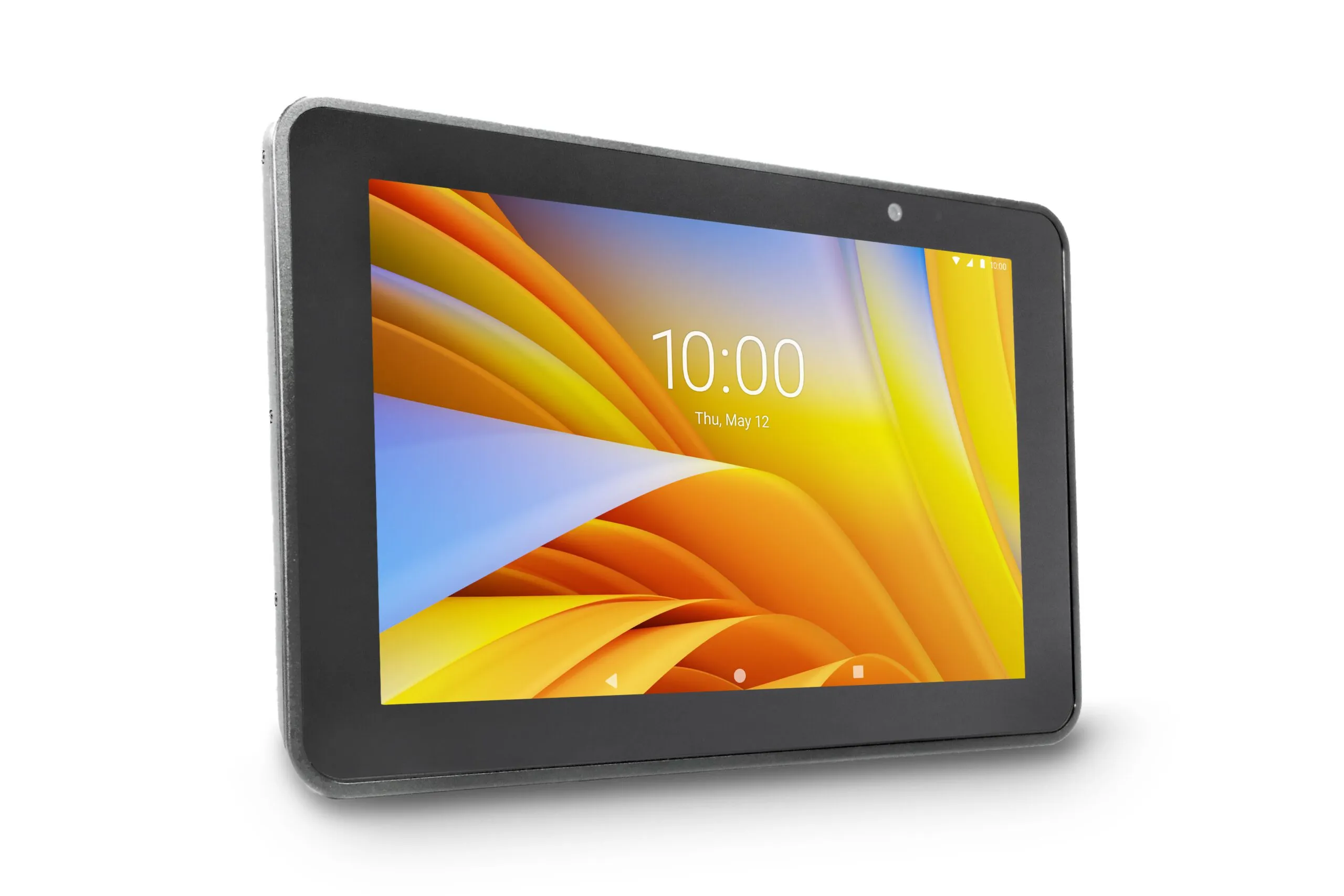
Technology has changed the way people work, learn, communicate, and consume information. Among the many devices that have become part of everyday life, the tablet computer has found a unique place between smartphones and laptops. It offers a larger display than a phone while remaining lighter and easier to carry than many traditional computers.
What makes a tablet computer particularly useful is its flexibility. It can be used for professional tasks, education, entertainment, communication, presentations, creative work, and many other activities. As hardware and software continue to improve, tablets are becoming more capable and practical for different types of users.
What Is a Tablet Computer?
A tablet computer is a portable computing device that typically features a touchscreen interface. Unlike conventional laptops, most tablets are designed around touch-based interaction rather than a permanently attached physical keyboard.
Modern tablets can run applications, browse the internet, stream videos, manage documents, attend online meetings, access cloud platforms, and perform many other computing tasks. Depending on the model, users can also connect accessories such as keyboards, mice, styluses, docking stations, and external displays.
The combination of portability, touchscreen functionality, and computing capabilities makes tablets suitable for both personal and professional environments.
Why Are Tablet Computers So Popular?
One of the biggest advantages of a tablet computer is its portability. A tablet can easily fit into a backpack, work bag, or even a small travel case. This makes it convenient for people who need access to digital information while moving between locations.
For example, a salesperson can use a tablet to show product information during a customer meeting. A teacher can use one to access digital learning materials. A field technician can view manuals and record information while working on-site.
The device can therefore provide access to important information without requiring users to carry a full-sized computer.
A Flexible Device for Work
The modern workplace is no longer limited to a traditional desk. Employees may work from offices, meeting rooms, client locations, homes, warehouses, retail environments, and other locations.
Tablet computers can support this flexible approach to work. Employees can use them to check emails, participate in video conferences, review documents, update spreadsheets, access business applications, and communicate with colleagues.
When paired with a keyboard and other accessories, a tablet can also become a more comfortable productivity device for longer tasks.
For businesses, tablets can be useful in situations where mobility is important. Instead of carrying printed documents or returning to a desktop computer, employees can access information directly from the device.
Supporting Education and Learning
Education is another area where tablets have become valuable. Their touchscreen interface makes them easy to use for interactive learning applications, digital textbooks, videos, quizzes, presentations, and educational resources.
Students can use tablets to research topics, take notes, complete assignments, and participate in online learning. Teachers can use them to access teaching resources, present content, and introduce interactive activities into lessons.
The portability of tablets is also useful in classrooms. Students do not necessarily need to remain in front of a desktop computer to access digital resources.
Tablets for Creative Work
A tablet computer can also become a creative tool. Many devices support digital pens or styluses, allowing users to draw, sketch, annotate documents, and take handwritten notes.
Designers, artists, photographers, architects, and content creators may use tablets for different stages of their creative workflows. A stylus-enabled tablet, for example, can provide a natural way to sketch ideas or make precise annotations.
Even users who do not work professionally in creative fields can benefit from these features when taking handwritten notes, marking documents, or creating simple illustrations.
Entertainment on a Larger Screen
While productivity is an important use case, tablets are also popular entertainment devices. Their larger screens make them convenient for watching videos, reading digital books, browsing websites, listening to music, and playing games.
Compared with a smartphone, a tablet provides more screen space without becoming as bulky as many laptops. This balance makes it useful for travelling, relaxing at home, or consuming digital content on the go.
Battery life also plays an important role. A tablet with a reliable battery can provide several hours of use without requiring constant access to a power outlet, although actual battery performance depends on the model and how it is used.
Tablets in Business and Retail
Businesses across different industries can use tablet computers for customer-facing and operational tasks.
In retail environments, tablets can help employees check product information, manage inventory, assist customers, or process certain transactions. In hospitality, they can be used for guest services, digital menus, communication, or operational applications.
Healthcare professionals may use tablets to access digital records, applications, schedules, and other information, subject to the security and compliance requirements of their organization.
Field service teams can also benefit from tablets because they can carry technical documentation, checklists, work orders, and reporting tools directly to job sites.
These examples demonstrate that a tablet is not simply a personal entertainment device. It can become part of a larger digital workflow.
Important Features to Consider
Not every tablet is designed for the same purpose. Before purchasing one, users should consider how they intend to use it.
- Display: Screen size, resolution, brightness, and viewing quality can affect the overall experience. People working with documents, designs, or multimedia may prefer a larger display.
- Performance: The processor, RAM, and storage determine how efficiently a tablet handles applications and multitasking.
- Battery: For mobile users, battery capacity and real-world battery life are important considerations.
- Connectivity: Depending on the use case, users may need Wi-Fi, Bluetooth, cellular connectivity, USB ports, or other connection options.
- Operating system: The operating system determines which applications and services are available. Compatibility with existing software should be considered, particularly for business users.
- Accessories: A keyboard, stylus, protective case, docking station, or external monitor can significantly expand what a tablet can do.
- Security: Businesses should also consider features such as device management, authentication, encryption, and software update support when selecting tablets for organizational use.
Tablet Computer vs. Laptop
A common question is whether a tablet can replace a laptop. The answer depends largely on the user's requirements.
For browsing, communication, video meetings, document review, note-taking, media consumption, and many everyday tasks, a tablet may provide everything a user needs.
However, users who regularly work with specialized desktop applications, extensive spreadsheets, advanced software development tools, or complex professional applications may still require a laptop or desktop computer.
For some people, the most practical solution is not choosing one over the other. A tablet can complement a primary computer by providing a lightweight device for mobile tasks.
The Future of Tablet Computing
Tablet technology continues to develop as manufacturers improve processors, displays, operating systems, connectivity, and accessories. Features such as artificial intelligence, improved multitasking, better cameras, faster connectivity, and more capable productivity applications are expanding the potential uses of these devices.
The growing popularity of hybrid work and digital learning also creates opportunities for portable computing devices. As software becomes more optimized for touchscreens and mobile hardware becomes more powerful, the gap between tablets and traditional computers may continue to narrow for certain types of users.
Final Thoughts
A tablet computer may look like a simple touchscreen device, but its potential goes far beyond basic browsing and entertainment. It can serve as a portable workstation, learning tool, communication device, creative canvas, presentation platform, and business assistant.
The key advantage is flexibility. Users can adapt the device to their needs by choosing the right combination of hardware, software, and accessories.
As technology continues to evolve, tablets are likely to remain an important part of the personal and professional computing landscape. Their compact design, intuitive interface, and growing capabilities demonstrate that a small device can offer surprisingly big possibilities.