Manual vs Digital Appointment Booking: Which Is Better for Modern Clinics?
By Khoka King
5 Views
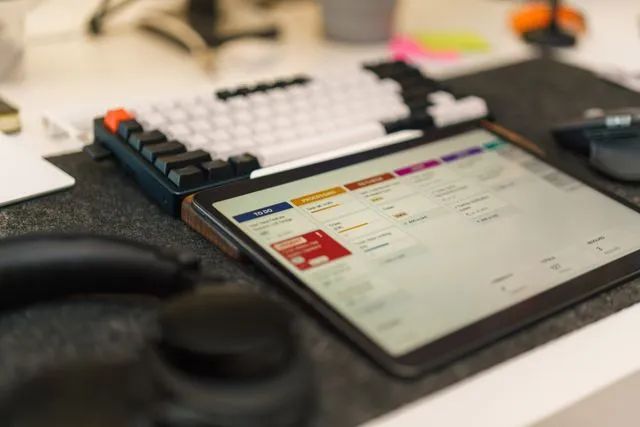
Managing patient appointments is an important part of running a clinic. From answering booking calls to confirming consultation timings, reception staff handle several tasks throughout the day. As patient numbers increase, keeping track of every appointment becomes more difficult, especially when all records are maintained manually.
Many clinics still use paper registers, phone calls and spreadsheets to organise their daily schedules. While these methods may work for smaller practices, they can create problems when the number of patients grows. Missed entries, double bookings, forgotten appointments and long waiting times can affect the daily operations of a healthcare facility.
Digital booking methods offer another way to manage these responsibilities. Patients can request appointments online, check available consultation slots and receive booking confirmations without making repeated phone calls.
But does digital booking always work better than manual scheduling? Both methods have their advantages and limitations. Understanding the differences can help clinic owners choose an approach that suits their staff, patients and daily requirements.
1. Understanding Manual Appointment Booking
Manual appointment booking is the traditional method used by many clinics. Patients contact the reception desk by phone or visit the facility to request a consultation.
Reception staff check the doctor's availability and record the appointment in a register, diary or spreadsheet. They may also provide a confirmation over the phone or ask patients to contact the clinic again if the schedule is not yet finalised.
This approach is familiar to most healthcare workers and does not require specialised software.
Advantages of Manual Booking
Manual booking can be suitable for small clinics that receive a limited number of appointment requests.
Some of its main advantages include:
-
Low initial cost: Clinics do not need to purchase software or pay monthly subscription fees.
-
Personal communication: Reception staff can speak directly with patients and answer their questions.
-
Simple process: Employees who are familiar with registers and diaries may find the method easy to follow.
-
No technical training: Staff can start managing appointments without learning a new digital platform.
For example, a small family clinic with one doctor and a limited number of daily consultations may find a paper register sufficient for its current needs.
Limitations of Manual Booking
The main problem with manual scheduling is that it depends heavily on accurate recordkeeping.
When reception staff handle several calls at the same time, appointment details may be entered incorrectly. A booking may also be missed if the register is not updated after a cancellation or rescheduling request.
Other common problems include:
-
Double bookings due to outdated records.
-
Difficulty checking previous appointment details.
-
Time spent searching through registers.
-
Repeated phone calls for booking confirmation.
-
Limited visibility into doctor availability.
-
Difficulty preparing reports about patient appointments.
These challenges become more noticeable when a clinic expands or starts handling patients across multiple departments.
2. Understanding Digital Appointment Booking
Digital appointment booking uses online platforms to manage consultation schedules and patient bookings. Instead of recording every appointment in a paper register, clinics maintain their schedules through software.
Patients can visit a clinic website or supported booking platform to check available consultation times. Depending on the system, they may select a doctor, choose a suitable slot and receive an appointment confirmation.
Reception staff and administrators can access the same scheduling information through a central dashboard.
This makes it easier to manage bookings, cancellations, doctor availability and daily consultation schedules.
3. Manual vs Digital Booking: A Comparison
Both methods help clinics organise patient consultations, but they differ in how appointments are recorded and managed.
| Feature | Manual Booking | Digital Booking |
|---|---|---|
| Appointment records | Paper registers or spreadsheets | Central digital records |
| Patient booking | Phone calls or clinic visits | Online booking and staff assistance |
| Availability checking | Manual checking | Updated digital schedules |
| Appointment reminders | Usually manual calls | Automated notifications where supported |
| Double booking control | Depends on staff accuracy | Booking availability controls |
| Rescheduling | Requires manual updates | Easier digital schedule updates |
| Reporting | Manual calculations | Available reports and summaries |
| Accessibility | Depends on physical records | Access for authorised users |
The right choice depends on the clinic's patient volume, staff capacity, budget and operational requirements.
4. How Digital Booking Saves Time for Reception Staff
Reception teams often manage multiple responsibilities. They answer patient enquiries, register visitors, coordinate with doctors and handle appointment changes.
When bookings are managed manually, staff may spend a significant part of their working hours checking registers and confirming available consultation slots.
Digital scheduling reduces much of this repetitive work.
For example, when a patient calls to book an appointment, reception staff can check the doctor's availability through a dashboard and confirm the booking immediately.
They do not need to search through several pages of a register or contact another employee to verify the schedule.
Online booking also allows patients to submit requests without waiting for reception staff to answer every call.
As a result, employees can spend more time assisting patients who are physically present at the clinic.
5. Which Method Is Better for Preventing Double Bookings?
Double bookings can create confusion for doctors, reception staff and patients.
In a manual system, two employees may accidentally assign the same consultation slot if they are working with separate registers or outdated information.
Digital booking platforms help reduce this risk by maintaining appointment availability in a shared system.
When a slot is booked, its availability is updated. Other authorised users can see the change before confirming another appointment.
For clinics with multiple doctors, this is particularly useful because each healthcare professional can have a separate schedule.
However, digital software still requires proper configuration and regular monitoring. Incorrect settings or staff mistakes can also create scheduling problems.
6. Making Appointment Reminders More Effective
Patients sometimes forget their consultation dates or arrive late because they do not remember the appointment time.
With manual booking, reception staff may need to call patients individually to remind them about upcoming consultations. This takes additional time, particularly when a clinic has many bookings.
Digital systems can send automated reminders through SMS or email, depending on the available features.
These notifications can include:
-
Appointment date and time.
-
Doctor's name.
-
Clinic location.
-
Booking confirmation.
-
Instructions for rescheduling.
Reminders help patients prepare for their visits and may reduce missed appointments.
They also give clinics an opportunity to manage cancellations before the scheduled consultation time.
7. Managing Multiple Doctors and Departments
Manual scheduling becomes more complicated when a clinic has several doctors or specialist departments.
Each doctor may have different working hours, consultation durations and weekly schedules. Reception staff need to check all these details before confirming appointments.
Digital booking makes this process easier by maintaining separate calendars for different doctors and departments.
For example, a multi-specialty clinic may have general physicians, dermatologists and cardiologists working at different times.
Administrators can manage each doctor's availability through one platform. Patients can select the required department and view suitable consultation slots.
This arrangement reduces confusion and makes it easier to coordinate appointments across the facility.
8. Which Method Provides Better Appointment Records?
Accurate appointment records help healthcare providers understand their daily activities and manage returning patients.
Manual registers can become difficult to maintain when the number of appointments increases. Finding an old entry may require searching through several pages or separate files.
Digital platforms store appointment information in an organised format. Authorised staff can review booking dates, cancellation details and appointment history.
Some healthcare solutions also offer integration with patient management and electronic medical record systems.
This can help clinics maintain better coordination between appointment booking and other administrative activities.
However, healthcare providers must pay attention to data protection. Patient information should only be accessible to authorised employees and handled according to applicable privacy requirements.
9. Cost Differences Between Manual and Digital Booking
Cost is another important factor when choosing an appointment management method.
Manual booking has a lower initial cost. Clinics generally need registers, stationery and staff time to manage their schedules.
Digital booking may involve software subscriptions, implementation charges, staff training and technical support.
However, the total cost should not be measured only by the software price.
Clinic owners should also consider the time employees spend managing appointments, the administrative costs of correcting booking mistakes and the impact of missed consultations.
For a small clinic with very few patients, manual scheduling may remain practical.
For a growing clinic that handles a large number of appointments, digital tools may provide better value over time by reducing repetitive work and improving scheduling accuracy.
10. What Should Clinics Consider Before Switching to Digital Booking?
Moving from paper registers to a digital platform requires planning. Clinics should understand their daily requirements before selecting software.
Some important factors include:
Ease of use: Reception staff should be able to manage appointments without complicated steps.
Patient convenience: The booking process should be simple for people with different levels of digital experience.
Doctor availability: The platform should support individual schedules and different consultation timings.
Notifications: Automated reminders can reduce the need for repeated manual calls.
Rescheduling options: Staff should be able to manage cancellations and appointment changes easily.
Reporting: Administrators should have access to booking and attendance information.
Data protection: The software should provide suitable access controls and security features.
Clinics can also review the provider's customer support, implementation process and pricing before making a decision.
11. Can Clinics Continue Offering Manual and Digital Booking Together?
Yes. Clinics do not always need to stop accepting phone or in-person bookings after introducing digital scheduling.
A combination of both methods can work well, especially during the transition period.
For example, younger patients may prefer booking through a website, while elderly patients may feel more comfortable speaking directly with reception staff.
Employees can enter phone and walk-in bookings into the same digital schedule. This keeps appointment information organised regardless of how patients make their requests.
A suitable Appointment Scheduling Software can help clinics manage bookings from different channels through a central platform.
The important point is to ensure that every confirmed appointment is recorded in one shared schedule. Maintaining separate digital and paper records without proper coordination can create the same problems clinics are trying to avoid.
12. Manual or Digital Booking: What Is the Right Choice?
There is no single answer for every healthcare facility. The right approach depends on the clinic's size, patient volume, number of doctors and available resources.
Manual booking may be sufficient for:
-
Small clinics with one or two doctors.
-
Practices with a limited number of daily appointments.
-
Facilities with low scheduling requirements.
-
Clinics that prefer direct communication with every patient.
Digital booking may be more suitable for:
-
Multi-specialty clinics.
-
Healthcare facilities with high patient volumes.
-
Clinics managing several doctors.
-
Practices receiving frequent booking and cancellation requests.
-
Facilities looking to reduce repetitive administrative work.
Clinic owners should review their current booking process and identify the problems that take up the most staff time.
If double bookings, missed appointments and schedule confusion are becoming regular issues, moving towards digital scheduling may be worth considering.
Conclusion
Manual and digital appointment booking both have a place in healthcare. Paper registers and phone calls can work well for smaller clinics with simple scheduling requirements. However, as patient numbers increase, maintaining appointments manually can become time-consuming and difficult to manage.
Digital booking offers better control over doctor availability, appointment records, reminders and cancellations. It also gives patients a convenient way to arrange consultations while reducing repetitive work for reception staff.
For modern clinics, the most practical approach is to choose a system that matches their actual needs. Some facilities may benefit from a complete digital transition, while others may prefer combining online booking with phone and walk-in appointments.
Ultimately, good appointment management is not just about choosing between paper and software. It is about making the booking process easier for patients, doctors and the people responsible for running the clinic.