How to Choose the Right Power Cord for Your Electronics
By Sf Cable
179 Views
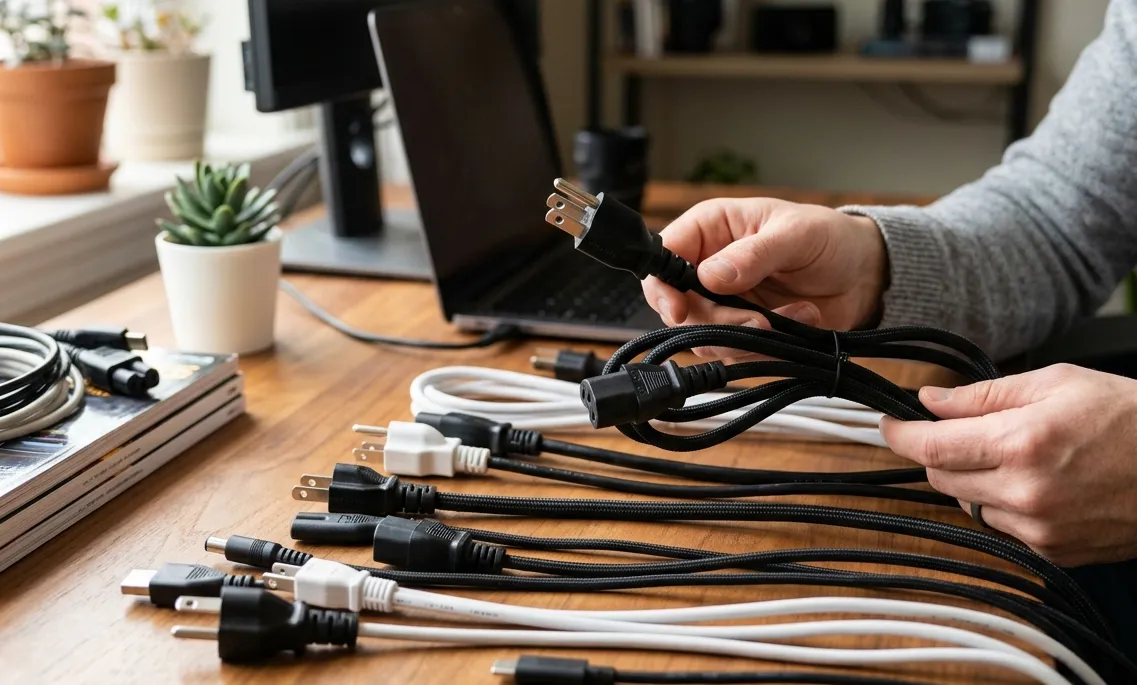
Choosing the right power cord for your electronics is more important than many people realize. A power cord is not just a simple cable — it directly affects the safety, performance, and reliability of your devices. Whether you are powering a desktop computer, monitor, server, gaming console, or home appliance, using the correct power cord helps prevent electrical issues and ensures stable power delivery.
With so many connector types, voltage ratings, and cable styles available, selecting the right option can feel confusing. This guide explains everything you need to know about choosing the best power cord for your electronics.
Why the Right Power Cord Matters
Using the wrong power cord can lead to:
- Poor device performance
- Overheating
- Power interruptions
- Electrical hazards
- Damage to sensitive electronics
A properly matched power cable ensures your equipment operates safely and efficiently while extending the lifespan of your devices.
Understand Your Device Requirements
Before purchasing a power cord, check your device specifications. Most electronics include a label near the power input that lists important electrical requirements.
Look for:
- Voltage rating
- Amperage rating
- Wattage
- Connector type
Matching these specifications with the correct power cord is essential for safe operation.
Identify the Connector Type
Different electronics use different power connectors. Choosing the correct connector is the first step.
Common Power Cord Connectors
IEC320 C13/C14
Commonly used for:
- Desktop computers
- Monitors
- Printers
- UPS systems
C19/C20 Power Cords
Designed for high-power equipment such as:
- Servers
- Network switches
- Data center hardware
C5 Cloverleaf Connectors
Often found on:
- Laptop adapters
- Projectors
- Portable electronics
NEMA Power Cords
Used primarily in North America for:
- Home appliances
- Office electronics
- Commercial equipment
Always confirm both ends of the cable match your device and power source.
Check Voltage and Amperage Ratings
Power cords are designed to handle specific electrical loads.
Voltage Rating
Common ratings include:
- 125V
- 250V
The voltage rating must meet or exceed your device requirements.
Amperage Rating
Amperage measures how much current the cable can safely carry.
Typical ratings:
- 10A
- 13A
- 15A
- 20A
Using a cable with insufficient amperage capacity can cause overheating and safety risks.
Understand Wire Gauge (AWG)
Wire gauge affects the cord’s power handling ability.
Common Wire Gauges
- 18 AWG – Light-duty electronics
- 16 AWG – Standard computer equipment
- 14 AWG – Heavy-duty applications
- 12 AWG – High-power industrial equipment
Lower AWG numbers indicate thicker wires capable of carrying more power safely.
Choose the Right Cord Length
Power cords come in various lengths to suit different setups.
Shorter Cords
Best for:
- Reducing clutter
- Data centers
- Workstations
Longer Cords
Useful for:
- Large rooms
- Events
- Hard-to-reach outlets
Avoid excessively long cables when possible, as they may reduce efficiency in high-power applications.
Indoor vs Outdoor Power Cords
Not all power cords are designed for the same environment.
Indoor Power Cords
- Lightweight
- Flexible
- Ideal for home and office use
Outdoor Power Cords
- Weather-resistant
- UV-protected
- Heavy-duty insulation
Outdoor-rated cords are essential for construction sites, outdoor events, and garden equipment.
Look for Safety Certifications
High-quality power cords should meet recognized safety standards.
Common Certifications
- UL Listed
- ETL Certified
- CSA Approved
- RoHS Compliant
Certified power cords are tested for safety, durability, and electrical performance.
Consider Your Application
Different electronics require different types of power cords.
For Home Electronics
Use standard IEC or NEMA power cords for:
- TVs
- Computers
- Gaming consoles
- Monitors
For Data Centers
Choose high-performance cables such as:
- C14 to C19 power cords
- Locking power cords
- Heavy-duty server cables
For Travel
International power cords and plug adapters are essential for compatibility with foreign outlets.
Common Mistakes to Avoid
Buying Based Only on Appearance
Many cords look similar but support different power ratings and connectors.
Ignoring Power Ratings
Using under-rated cables increases safety risks.
Choosing Cheap, Low-Quality Cords
Poor-quality cables may fail quickly or damage expensive electronics.
Using Damaged Cords
Replace cords immediately if you notice:
- Fraying
- Loose connectors
- Burn marks
- Overheating
Tips for Maintaining Power Cords
To extend the life of your power cords:
- Avoid bending cables sharply
- Store cords properly
- Keep cords dry
- Unplug carefully without pulling the wire
- Inspect cables regularly
Proper maintenance improves safety and cable longevity.
Why High-Quality Power Cords Are Worth It
Investing in quality power cords offers several benefits:
- Better durability
- Improved electrical safety
- Reliable power delivery
- Longer equipment lifespan
- Reduced risk of electrical failure
High-quality cables are especially important for professional environments and sensitive electronics.
Final Thoughts
Choosing the right power cord for your electronics is essential for safety, compatibility, and performance. Understanding connector types, voltage ratings, amperage, wire gauge, and environmental requirements helps you select the best cable for your setup.
Whether you need a standard IEC320 power cord for your computer, a heavy-duty extension cord for industrial equipment, or an international power adapter for travel, always prioritize quality and certified safety standards.
A reliable power cord protects your electronics, improves efficiency, and ensures dependable performance for years to come.