How Can an In-House CRM System Preserve Institutional Customer Knowledge?
67 Views
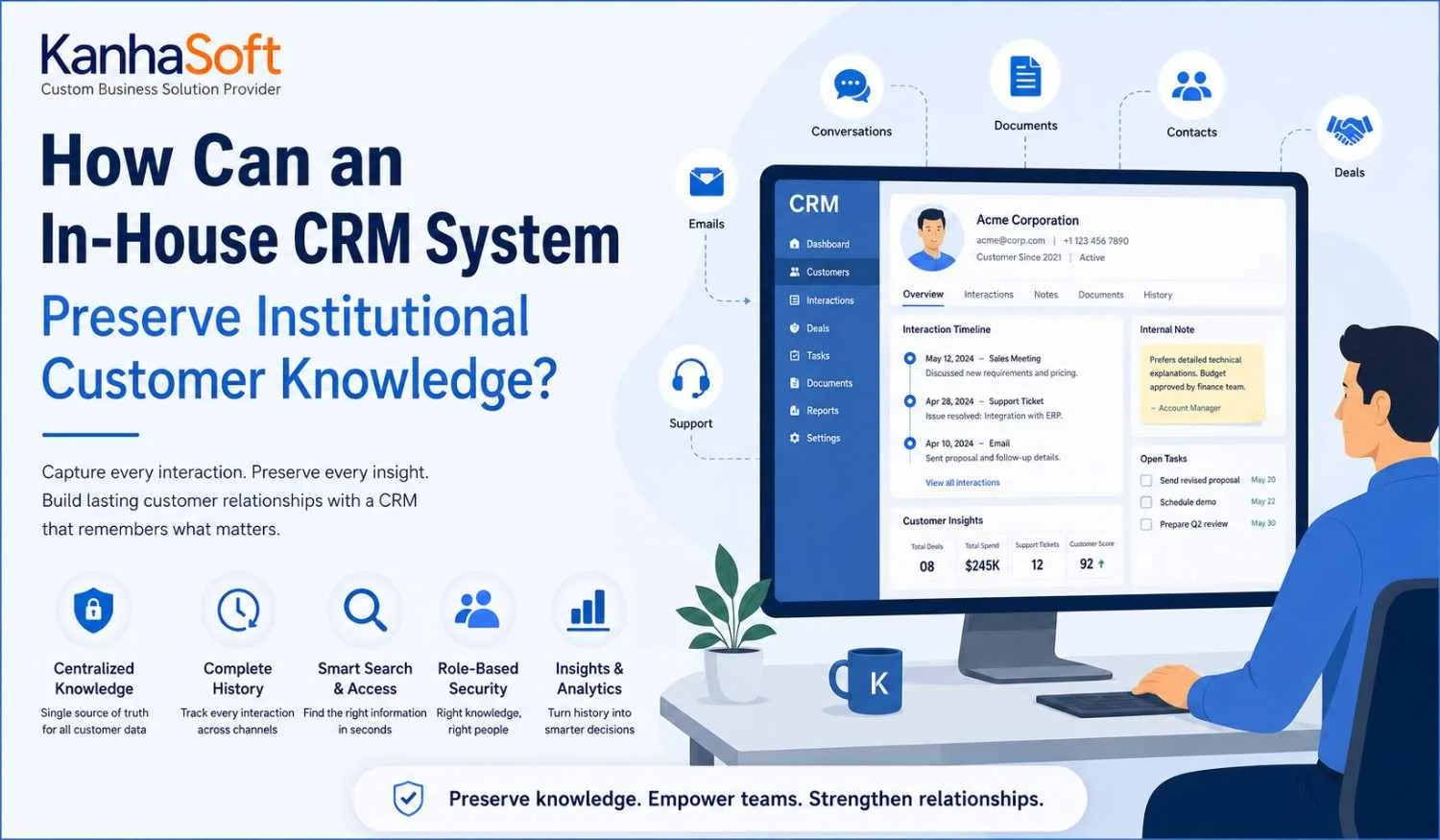
Customer relationships rarely live inside a spreadsheet. They live in conversations, preferences, decisions, complaints, promises, follow-ups, and sometimes in that one employee’s memory who somehow remembers what a customer asked three years ago. The problem starts when that employee goes on leave — or worse, leaves the company.
This is where an in-house CRM system can become more than a place to store names, phone numbers, and sales opportunities. When designed around real business workflows, it can preserve institutional customer knowledge and make that knowledge available to authorized employees.
Instead of allowing valuable customer context to disappear with employee turnover, businesses can capture it systematically. Sales history, communication records, account preferences, support interactions, and internal notes can become part of an organizational memory.
In simple terms, the goal is not merely to store customer data. It is to preserve the knowledge surrounding that data.
What Is Institutional Customer Knowledge?
Institutional customer knowledge is the accumulated understanding a business develops about its customers over time.
It includes much more than basic contact information. For example, a customer record may tell us that a company purchased a particular service. Institutional knowledge can explain why they purchased it, what problems they faced, who approved the purchase, what concerns they raised, and what type of communication they prefer.
This knowledge can include:
- Customer preferences
- Purchase history
- Previous conversations
- Pricing discussions
- Complaints and resolutions
- Contract details
- Decision-making structures
- Communication preferences
- Account-specific requirements
- Previous sales objections
- Successful engagement strategies
Without a centralized system, this information can become fragmented across emails, spreadsheets, messaging platforms, documents, and employees' personal notes.
That creates a familiar business problem — everyone has part of the story, but nobody has the complete story.
Why Do Businesses Lose Valuable Customer Knowledge?
Employee Turnover
Employees naturally move between roles and organizations. When customer knowledge exists primarily in someone's head, a resignation can create a surprisingly large information gap.
The replacement employee may receive a customer name, account number, and a few documents. What they may not receive is the context behind years of interactions.
A centralized CRM reduces this dependency by recording important customer information as part of the business system.
Scattered Information
Customer information often exists in multiple locations.
A sales representative may have pricing discussions in email. A support team may have issue histories in a ticketing system. An account manager may maintain notes in a spreadsheet.
Individually, each source may be useful. Together, they can create an information puzzle.
A properly integrated CRM can bring relevant information into one accessible environment.
Inconsistent Documentation
Not every employee documents customer interactions in the same way.
One person may write detailed notes. Another may write, “Spoke with client — follow up next week.”
Technically, both are notes. Practically, they are worlds apart.
Standardized CRM fields and workflows can encourage teams to capture information consistently.
How Can an In-House CRM System Capture Institutional Knowledge?
The biggest advantage of a customized CRM approach is that knowledge capture can be built into existing workflows.
Instead of asking employees to maintain another separate documentation process, the CRM can capture useful information while employees perform their regular tasks.
For example, after a sales meeting, the system can request:
- Key customer concerns
- Decisions made
- Next steps
- Expected timeline
- Important stakeholders
- Special requirements
During customer support, the system can record the issue, resolution, communication history, and follow-up requirements.
Over time, these individual records create a much broader organizational knowledge base.
The system becomes a digital memory — one that does not require remembering where someone saved that Excel file.
Centralized Customer Profiles Preserve Historical Context
A complete customer profile can provide employees with a broader view of an account.
Instead of seeing only current contact details, employees can access relevant historical information such as:
- Previous purchases
- Sales opportunities
- Support cases
- Contracts
- Communication history
- Account notes
- Tasks
- Customer preferences
This historical context becomes especially useful when an account changes hands.
A new account manager does not need to rebuild the relationship entirely from scratch. They can review the available history and understand how the relationship developed.
That can improve continuity while reducing the time required for employee onboarding.
Interaction History Turns Conversations Into Organizational Memory
Customer conversations contain valuable knowledge.
A simple interaction timeline can show what happened across calls, meetings, emails, support requests, and follow-ups.
For example, imagine a customer previously rejected a product feature because it did not solve a specific operational problem. Six months later, another salesperson approaches the same customer without knowing that history.
The conversation starts from zero.
With an accessible interaction history, the salesperson can see the previous discussion before making another recommendation.
This is one of the simplest ways CRM technology can convert individual employee knowledge into institutional memory.
Custom Workflows Can Capture Knowledge at the Right Moment
One of the challenges with knowledge management is timing.
If employees are expected to document everything at the end of the week, important details can disappear long before Friday arrives.
Custom workflows can solve part of this problem by capturing information at the point where it is created.
For example:
After a sales meeting → capture decisions and objections.
After customer onboarding → record configuration and preferences.
After support resolution → document the issue and solution.
Before account renewal → review historical activity and customer concerns.
These workflows make knowledge capture part of the process rather than an additional administrative burden.
Experienced CRM developers can design these workflows around the organization's actual processes, helping teams capture useful information without creating unnecessary data-entry work.
Internal Notes Preserve the “Why” Behind Decisions
Most CRM systems are good at recording what happened.
The more difficult question is often why it happened.
Consider a customer who received a special pricing arrangement.
The CRM may show the final price. But what if the reason for that price was never documented?
A future employee might see the discount and assume it can be repeated.
Internal notes can preserve the context:
- Why a discount was approved
- Why a proposal was rejected
- Why a customer requires special support
- Why a particular communication method works
- Why an account has unusual requirements
This contextual information can be extremely valuable — provided it is documented responsibly and protected through appropriate access controls.
Searchable CRM Data Makes Institutional Knowledge Accessible
Preserving knowledge is only half the challenge.
The other half is finding it.
If employees have to browse hundreds of records to locate one customer conversation, the information technically exists but practically remains hidden.
Search capabilities can make a major difference.
Useful CRM search functions may include:
- Customer name search
- Keyword search
- Advanced filters
- Interaction type
- Account status
- Product category
- Date range
- Assigned employee
- Customer segment
A searchable system allows employees to find relevant historical information without depending on the person who originally created the record.
That is where stored knowledge becomes genuinely useful.
Role-Based Access Protects Customer Knowledge
Centralizing information does not mean giving every employee unrestricted access.
Customer knowledge may contain confidential pricing, contracts, personal information, financial details, or internal business discussions.
A well-designed CRM should therefore include appropriate access controls.
Common approaches include:
- Role-based permissions
- Department-level access
- Record-level permissions
- Audit logs
- User authentication
- Access restrictions
- Data encryption
For example, sales employees may need access to opportunities and customer interactions, while finance teams may require access to billing information.
The objective is straightforward: make the right knowledge available to the right people at the right time.
CRM Analytics Can Turn Historical Knowledge Into Business Intelligence
Once customer knowledge is consistently captured, it can become useful for more than daily operations.
Historical CRM data can reveal patterns that individual employees may never notice.
Businesses can analyze:
- Customer retention
- Churn patterns
- Repeat purchases
- Sales conversion
- Support issues
- Customer lifetime value
- Account engagement
- Common objections
- Product demand
For example, if several customers repeatedly mention the same problem during sales conversations, management may discover an opportunity to improve the product or sales process.
In this way, institutional knowledge moves from being historical information to becoming a source of business intelligence.
How Can AI Improve Institutional Customer Knowledge?
AI can add another layer of usefulness to CRM data.
Instead of requiring employees to read dozens of historical records, AI-powered features can summarize relevant customer information.
Possible applications include:
- Customer history summaries
- Conversation summarization
- Sentiment analysis
- Follow-up recommendations
- Issue identification
- Pattern detection
- Automated categorization
- Knowledge discovery
For example, before an account meeting, an AI-enabled CRM could provide a concise overview of recent interactions, unresolved issues, previous purchases, and important customer concerns.
However, there is an important condition.
AI cannot magically transform poor data into reliable knowledge. If the underlying CRM records are incomplete, inconsistent, or inaccurate, AI may simply make bad information easier to consume.
Good CRM data remains the foundation.
In-House CRM vs. Other Knowledge Storage Methods
Different approaches offer different levels of control and accessibility.
Knowledge StorageAccessibilitySearchabilityConsistencyKnowledge RiskEmployee memoryLowNoneLowHighPersonal notesLowLowLowHighSpreadsheetsMediumLimitedMediumMediumEmail historyMediumMediumLowMediumStandard CRMHighHighHighLowerCustomized CRMHighHighHighLower
The comparison is not about declaring one technology universally superior.
The right choice depends on business size, workflows, integrations, compliance requirements, budget, and the complexity of customer relationships.
For organizations with highly specialized processes, customization can provide greater control over how customer knowledge is captured and used.
What Features Should Businesses Include?
Businesses planning a CRM focused on institutional knowledge should consider several capabilities.
Complete Customer Timeline
Employees should be able to understand important customer activity chronologically.
Custom Fields
Every organization has information that generic CRM platforms may not capture effectively. Custom fields can address those requirements.
Internal Notes
Teams should have a structured way to document context and decisions.
Document Management
Contracts, proposals, reports, and other relevant documents should be connected to the appropriate customer record.
Task and Follow-Up History
The system should preserve commitments and completed activities.
Advanced Search
Employees need a fast way to find historical information.
Audit Trails
Changes to important records should be traceable.
Role-Based Permissions
Sensitive information should only be accessible to authorized users.
Analytics
Historical data should support reporting and decision-making.
Integrations
Email, ERP, support systems, communication platforms, and other business applications may need to exchange relevant customer information.
How Should Businesses Structure CRM Data for Long-Term Knowledge Preservation?
Technology alone cannot preserve knowledge.
Data governance matters just as much.
Businesses should establish clear standards for:
- Customer naming conventions
- Required fields
- Data validation
- Duplicate management
- Note-taking
- Account ownership
- Historical record retention
- Access permissions
- Data quality reviews
For example, if one employee records a customer's industry as “Real Estate,” another enters “Property,” and a third uses “Realty,” reporting becomes unnecessarily complicated.
Standardization makes institutional knowledge easier to search, analyze, and maintain.
Regular CRM data audits can also identify duplicate records, missing fields, outdated information, and inconsistent entries.
What Role Does a CRM Software Development Company Play?
Building a CRM that genuinely preserves institutional knowledge requires more than creating screens and database tables.
A specialized CRM software development company can help businesses analyze existing workflows and translate them into a suitable CRM architecture.
The development process may include:
- Business process analysis
- CRM architecture planning
- Database design
- Custom module development
- Workflow automation
- API integrations
- Data migration
- Security implementation
- Testing
- Deployment and maintenance
The important part is understanding that the objective is not simply to build another database.
The objective is to create a system that captures how the business actually works.
Common Challenges in Preserving Institutional Customer Knowledge
Employees Do Not Document Information
Even the best CRM cannot preserve information that employees never enter.
The solution is to make documentation simple, relevant, and integrated into everyday workflows.
Poor Data Quality
Duplicate, incomplete, or outdated records can reduce the value of accumulated knowledge.
Validation rules and regular audits can help maintain quality.
Too Much Unstructured Information
Hundreds of free-text notes can become difficult to analyze.
Structured fields, categories, tags, and standardized templates can improve usability.
Legacy Data
Older customer information may exist in spreadsheets, databases, emails, or outdated systems.
A carefully planned migration strategy is essential to preserve valuable history.
Employee Resistance
If employees view the CRM as administrative work rather than a useful business tool, adoption can suffer.
The system should therefore save time wherever possible — not simply create more forms.
Security Risks
Customer knowledge can contain sensitive information. Strong authentication, permissions, encryption, and monitoring should therefore be part of the architecture.
Best Practices for Preserving Institutional Customer Knowledge
Businesses can strengthen their CRM knowledge strategy by following several practical principles:
- Capture information during normal workflows.
- Centralize important customer records.
- Standardize critical fields.
- Document decisions and context.
- Make historical information searchable.
- Regularly clean CRM data.
- Establish data ownership.
- Apply role-based permissions.
- Integrate relevant business systems.
- Train employees on documentation standards.
- Review knowledge gaps regularly.
- Introduce AI only after establishing reliable data foundations.
The objective should always be simple: make customer knowledge belong to the organization rather than to a single employee.
Conclusion
Customer knowledge should not disappear when an employee changes roles, takes a vacation, or decides that a different company has better coffee.
The real value of CRM is not simply knowing who the customer is. It is understanding what happened, why it happened, what the customer expects, and what the business has learned along the way.
A well-designed CRM can transform that knowledge into an organizational asset through centralized records, searchable histories, structured workflows, internal notes, analytics, integrations, and automation.
But technology is only one piece of the equation. Businesses also need strong data governance, employee adoption, consistent documentation, and sensible security controls.
When customer knowledge stays inside one person's head, the business has an employee dependency. When that knowledge becomes part of the system, it becomes institutional memory — and institutional memory can continue working long after the original conversation is forgotten.
FAQs
What is institutional customer knowledge?
Institutional customer knowledge is the accumulated understanding a business develops about its customers, including interactions, preferences, decisions, requirements, purchase history, complaints, and relationship context.
How does CRM preserve customer knowledge?
CRM preserves knowledge by centralizing customer records, interaction histories, notes, documents, tasks, workflows, and other relevant information so authorized employees can access historical context.
Why is institutional knowledge important for customer retention?
Institutional knowledge helps employees maintain continuity. Customers are less likely to repeatedly explain their requirements when teams can access previous conversations, preferences, and issues.
Can CRM prevent customer knowledge from being lost when employees leave?
A CRM can significantly reduce knowledge loss by moving important information from individual employees into centralized business records. However, undocumented knowledge can still disappear, so adoption and documentation practices remain important.
What CRM features help preserve customer knowledge?
Important features include customer timelines, interaction history, internal notes, document management, advanced search, workflow automation, permissions, audit trails, analytics, and integrations.
Is an in-house CRM better than a standard CRM?
Not necessarily. The right option depends on business processes, customization needs, integrations, budget, scalability, security requirements, and internal resources. Customized CRM development can be useful when standard platforms cannot adequately support specialized workflows.
Can AI improve customer knowledge management?
Yes. AI can summarize customer history, identify patterns, analyze conversations, recommend actions, and help employees find relevant information. Its effectiveness depends heavily on the quality of the underlying CRM data.
How can businesses improve CRM data quality?
Businesses can improve CRM data quality through validation rules, standardized fields, duplicate detection, regular audits, data governance, employee training, and automated quality checks.