What Is FAA Web Scheduler? A Complete Guide to FAA Scheduling
79 Views
Summary
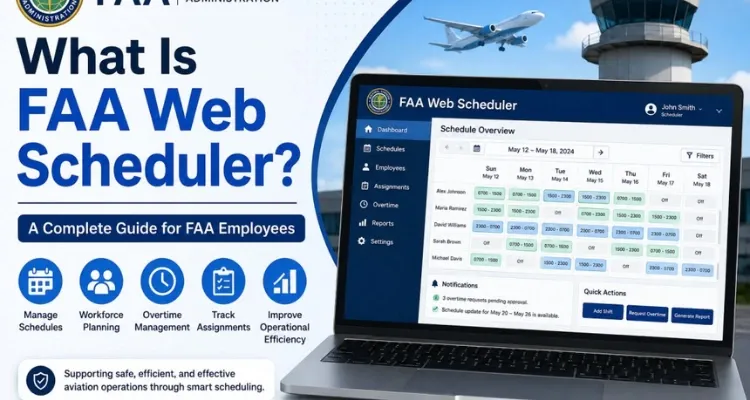
FAA Web Scheduler is a web-based scheduling tool associated with the Federal Aviation Administration's air traffic operations and workforce scheduling. It has been used by FAA facilities to manage controller schedules, work assignments, and overtime-related information. This guide explains what FAA Web Scheduler is, how it supports scheduling operations, who may use it, common functions, access considerations, and why scheduling technology is important for air traffic control.
What Is FAA Web Scheduler?
FAA Web Scheduler is an internal scheduling resource used in the FAA environment, particularly for air traffic controller scheduling and workforce management.
FAA documentation has referenced Web Scheduler in connection with preparing controller schedules and developing overtime lists. An FAA report notes that basic schedule input can be handled by scheduling departments while Web Scheduler is used in connection with overtime-list development.
The system is therefore more than a simple calendar. It forms part of the operational process used to organize employees and ensure that staffing information is available to the people responsible for managing air traffic facilities.
Because the FAA has different facilities, roles, and local procedures, the exact way the scheduling tool is used can vary.
Why Is FAA Web Scheduler Important?
Air traffic control operates continuously, so staffing has to be planned carefully. Controllers need appropriate work schedules, breaks, training periods, leave arrangements, and other assignments.
FAA Web Scheduler can support this process by giving scheduling personnel a centralized way to maintain schedule information.
Some of the areas connected with scheduling include:
- Controller work schedules
- Shift assignments
- Overtime information
- Staffing coordination
- Schedule changes
- Leave-related adjustments
- Work assignment information
Accurate scheduling is particularly important because staffing levels can directly affect how an air traffic facility manages its operational workload.
How Does FAA Web Scheduler Work?
The exact workflow can differ by facility, but the general process involves entering and maintaining employee scheduling information.
1. Schedule Planning
Scheduling personnel first determine the staffing requirements for the facility. These requirements can depend on traffic levels, staffing availability, training, leave, and operational needs.
2. Schedule Entry
Relevant employee information and work periods can then be entered into the scheduling system.
3. Schedule Review
Supervisors or other authorized personnel can review the schedule to identify staffing concerns or required adjustments.
4. Updates
Schedules may need to be changed when employees take leave, report unavailable, receive different assignments, or when operational requirements change.
5. Overtime Management
FAA documentation has specifically connected Web Scheduler with the development of overtime lists.
This shows that the system can play a role beyond normal shift planning.
Who Uses FAA Web Scheduler?
FAA Web Scheduler is primarily associated with authorized FAA personnel and operational scheduling activities rather than public use.
The FAA employs air traffic controllers, supervisors, managers, technical specialists, engineers, and many other professionals. Not every employee will necessarily have access to the same scheduling tools.
Access and functionality can depend on:
- Job responsibilities
- Facility
- User permissions
- Organizational role
- Network access
- Local procedures
If you are an FAA employee who needs scheduling access, use the official instructions provided by your facility or organization.
FAA Web Scheduler and Controller Staffing
Controller staffing is one of the most important areas connected with FAA Web Scheduler.
The FAA Office of Inspector General reported that FAA air traffic facilities did not have a standardized scheduling tool and that many facilities used a web scheduler with limited schedule-optimization capabilities. The report also noted integration challenges between the web scheduler and other FAA systems.
This distinction is important. FAA Web Scheduler should not necessarily be viewed as a modern automated scheduling platform that independently creates an optimized schedule.
Instead, it has been part of a broader scheduling process in which personnel and facility procedures remain important.
FAA Web Scheduler and Overtime
Overtime is another area where FAA Web Scheduler has been used.
FAA documentation states that an overtime list is developed by Web Scheduler. This means scheduling information can help facilities organize additional staffing requirements.
However, employees should not assume that appearing on a schedule automatically answers every question about overtime eligibility, approval, or payment. Those matters can depend on FAA policies, local procedures, collective bargaining provisions, and individual circumstances.
For questions about a specific overtime assignment, employees should follow their facility's official process.
Can FAA Web Scheduler Optimize Schedules?
This is an important question for anyone researching FAA Web Scheduler.
According to a 2023 Department of Transportation Office of Inspector General report, the web scheduler used by many FAA air traffic facilities lacked schedule-optimization capabilities. The report also discussed FAA efforts toward a more standardized scheduling approach.
Therefore, it would be inaccurate to describe FAA Web Scheduler as a fully automated optimization system
.
Scheduling personnel still play an important role in evaluating staffing requirements and making operational decisions.
The FAA's FY2022 Air Traffic Organization Business Plan also described ATOMS as a planned platform intended to improve controller scheduling and work-assignment tracking and to interface with other ATO tools, replacing CRU-ART and integrating with Web Scheduler.
Common FAA Web Scheduler Issues
Employees may encounter several types of problems when using FAA Web Scheduler.
Login or Access Problems
Internal FAA applications may require appropriate credentials, network access, or permissions. If you cannot access the system, verify that you are using the authorized access method.
Schedule Information Is Missing
If expected information is not displayed, the issue may involve permissions, schedule updates, or local configuration.
Schedule Changes
Employee schedules can change because of operational requirements, leave, training, or other staffing circumstances. Always rely on the latest authorized schedule.
System Availability
Like any internal application, scheduling systems can occasionally experience maintenance or technical problems.
If a problem continues, FAA employees should contact the appropriate facility or technical support team instead of using unofficial third-party services.
FAA Web Scheduler and Other FAA Systems
FAA Web Scheduler does not operate in isolation. FAA air traffic operations rely on multiple systems for scheduling, labor information, training, timekeeping, and operational management.
The OIG has previously discussed the relationship between scheduling and other FAA workforce systems, including CRU-X/ART. It also reported that the FAA was working toward systems intended to provide improved functionality around scheduling and workforce information.
This helps explain why employees may encounter different applications when working with schedules and staffing data.
Frequently Asked Questions
Is FAA Web Scheduler available to the public?
No. FAA Web Scheduler is associated with internal FAA operations and is generally intended for authorized users.
What is FAA Web Scheduler used for?
It is associated with controller scheduling, workforce management, and overtime-related scheduling activities within FAA facilities.
Can FAA Web Scheduler create an optimized schedule automatically?
Not necessarily. An FAA OIG report stated that the web scheduler used by many facilities lacked schedule-optimization capabilities.
Can employees use FAA Web Scheduler for overtime?
Web Scheduler has been referenced by FAA documentation in connection with overtime lists. Specific overtime procedures depend on applicable policies and local practices.
Why can't I access FAA Web Scheduler?
Possible reasons include incorrect credentials, network restrictions, permission issues, technical problems, or facility-specific access requirements.
Conclusion
FAA Web Scheduler is an important part of the FAA's history of controller scheduling and workforce management. Official FAA documentation has connected the system with controller schedules and overtime lists, while more recent oversight reporting has highlighted limitations in schedule optimization and the need for more standardized scheduling technology.
For FAA employees, the most important point is that scheduling is a broader operational process rather than simply entering shifts into a website. Staffing requirements, leave, training, overtime, and changing operational conditions can all influence schedules.
If you need to access FAA Web Scheduler, use your authorized FAA resources and follow your facility's current procedures. Avoid relying on unofficial websites or third-party tools for sensitive employee scheduling information.