15 PC Programs I Actually Install on Every New Windows Machine
67 Views
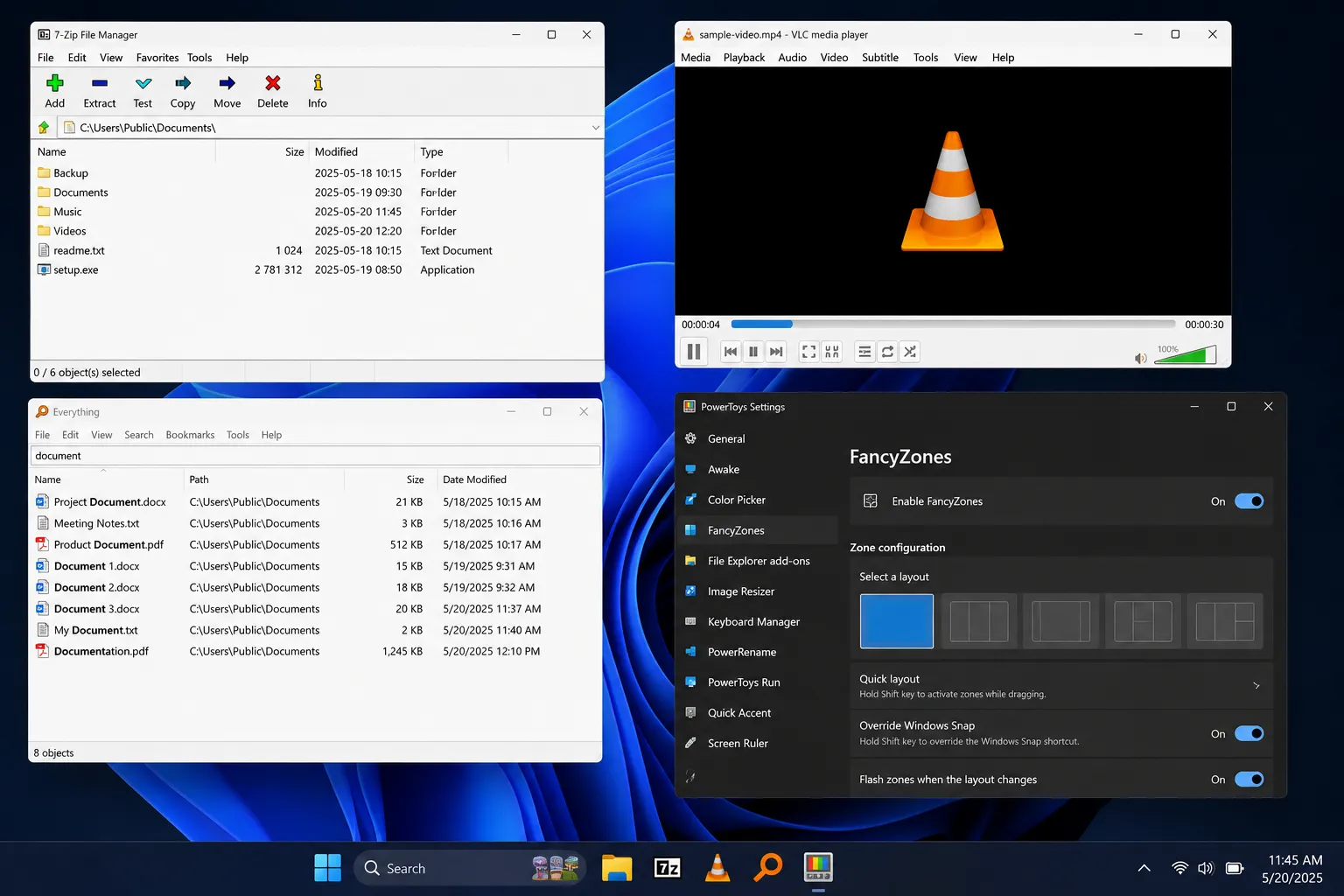
I've reformatted my laptop 6 times in the last 4 years. Same routine every time: Windows Update finishes, and I'm sitting there with a blank desktop wondering what to install first.You can download all of them from Mazterize.
So I made a list. Here it is.
1. 7-Zip
Windows still can't open RAR files natively. 7-Zip fixes that in 30 seconds. Free, no ads, no "premium version" nagging you every time you extract a folder.
2. Everything (by voidtools)
Windows search is slow. Type a file name and wait 5, 10, sometimes 15 seconds. Everything indexes your whole drive and returns results as you type. I searched for a PDF I hadn't opened in 2 years. It found it in under a second.
3. PowerToys
Microsoft built this one themselves, which is a little funny. It adds the stuff Windows should've shipped with: a better window snapping tool (FancyZones), a bulk file renamer, a color picker. I use FancyZones every single day for splitting my screen between a browser and a terminal.
4. VLC Media Player
Plays anything. MKV, AVI, that weird .flv file from 2011, doesn't matter. No codec packs, no crashes.
5. Notepad++
For quick edits to config files, scripts, or CSVs. Loads instantly. Doesn't try to be an IDE.
6. Ditto
A clipboard manager. Sounds small. Isn't. Copy 5 things in a row and paste any of them later, not just the last one. I didn't know I needed this until a coworker showed me, and now I can't work without it.
7. Malwarebytes
Windows Defender handles the basics fine. But for a second opinion, a quick Malwarebytes scan once a month catches things Defender misses. Adware, browser hijackers, that kind of junk.
8. CrystalDiskInfo
Checks your SSD or hard drive health. Takes 5 seconds to open. If a drive is failing, it'll tell you before you lose your files, not after.
9. Rufus
For making bootable USB drives. Installing a fresh copy of Windows, flashing Linux, whatever. Rufus does it faster and more reliably than the official Windows Media Creation Tool.
10. AutoHotkey
A scripting tool for automating repetitive tasks. I have a script that renames screenshots automatically and another that expands "eml" into my full email address. Small things. They add up over a workday.
11. qBittorrent
Open source, no bundled toolbars, no ads. If you're downloading Linux ISOs (wink), this is the one to use.
12. Sysinternals Suite
A toolkit from Microsoft for anyone who wants to actually see what's running on their machine. Process Explorer alone is worth it. It shows you what's eating your CPU in real time, with none of the guesswork Task Manager leaves you with.
13. ShareX
Screenshot tool with actual features. Region capture, scrolling capture, automatic upload and link copy. I use it to grab error messages and send them straight to a coworker without saving a file first.
14. WinDirStat
Your drive is full and you don't know why. WinDirStat draws a color-coded map of every folder by size. Takes about 2 minutes to scan and you'll immediately spot the 40 GB folder you forgot about.
15. Chocolatey
A package manager for Windows. Once it's set up, you can install half this list with one command:
choco install 7zip vlc notepadplusplus everything powertoys -y
That's it. Grab your favorite browser, and you're set up in under an hour.
None of this is exotic. No hidden gems nobody's heard of. Just the tools that survive every reinstall because they actually earn their spot.