AI Agents in Mobile Apps: What to Automate and Where Users Need Control
23 Views
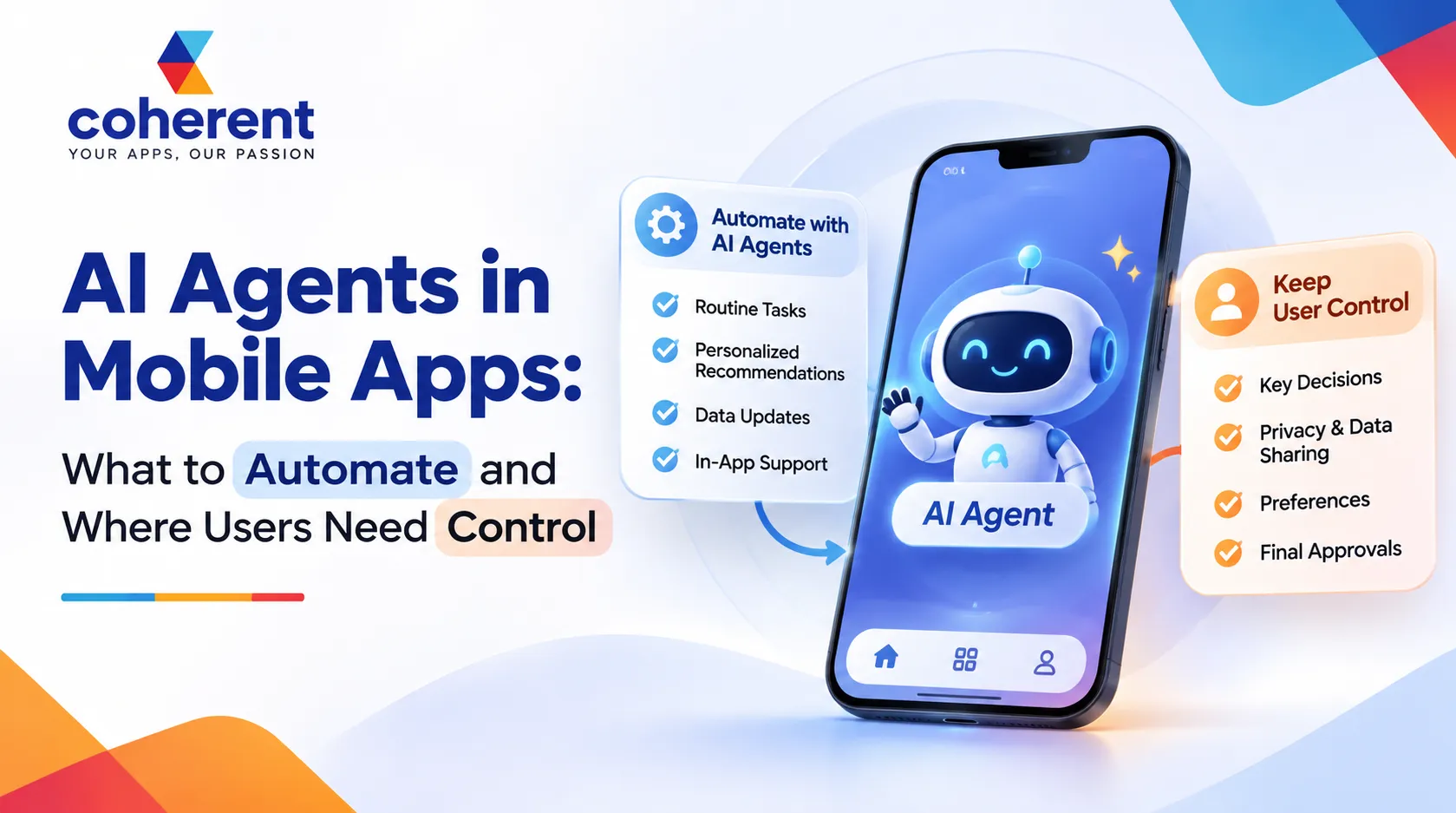
AI agents are changing how people interact with mobile applications by moving beyond simple commands and conversations toward intelligent, task-based automation. From managing appointments and answering customer questions to processing orders and personalizing experiences, AI agents in mobile apps help businesses reduce repetitive work and improve user experiences. However, giving artificial intelligence the ability to perform actions independently also introduces important questions about privacy, security, and user control.
Not every task should be automated, especially when financial transactions, personal information, or important decisions are involved. Businesses and developers must understand where autonomous AI agents provide value and where human approval remains essential. The goal is to build smarter mobile applications that combine intelligent automation, transparent permissions, and meaningful human oversight without compromising user trust.
What Are AI Agents in Mobile Apps?
AI agents in mobile apps are intelligent software systems that understand user requests, make decisions, and perform tasks using connected tools, APIs, and application features. Unlike traditional chatbots that primarily respond to questions, AI agents can complete multi-step workflows. They can retrieve information, coordinate activities, and execute permitted actions. This makes agentic AI useful for creating more personalized, responsive, and efficient mobile experiences.
How Do AI Agents Work in Mobile Applications?
AI agents combine large language models (LLMs), application data, external tools, and predefined permissions to complete tasks. Their ability to understand context and take action makes them different from conventional mobile automation.
-
Understand user intent: Identify what users want to accomplish through text, voice, or contextual information.
-
Plan tasks: Break complex requests into smaller steps and determine which tools or services are required.
-
Execute actions: Interact with application features, APIs, and connected systems to complete authorized tasks.
-
Verify results: Check whether an action succeeded and communicate the outcome to the user.
What Tasks Should AI Agents Automate in Mobile Apps?
The best mobile app automation opportunities involve repetitive, predictable, and low-risk activities. AI agents can reduce manual work while helping users complete everyday tasks faster. Businesses should prioritize workflows with clear objectives, measurable outcomes, and limited consequences if something goes wrong. Customer support, scheduling, product discovery, and routine information retrieval are strong starting points for introducing AI-powered mobile app automation.
Top Mobile App Tasks Suitable for AI Automation
Choosing appropriate automation opportunities helps developers improve productivity without removing meaningful user involvement.
-
Customer support: Answer frequently asked questions, provide order updates, and direct complex issues to human representatives.
-
Scheduling and reminders: Organize appointments, suggest available time slots, and send personalized reminders.
-
E-commerce assistance: Recommend products, compare available options, and help customers track their orders.
-
Routine administration: Retrieve information, organize documents, complete repetitive forms, and synchronize application data.
Which Mobile App Tasks Should Not Be Fully Automated?
Not every mobile app development workflow is suitable for independent AI execution. Tasks involving money, sensitive personal information, identity verification, or irreversible decisions require stronger safeguards. An AI agent might prepare an action or recommend the next step, but users should retain authority over important decisions. Establishing clear automation boundaries helps prevent accidental transactions, unauthorized data sharing, and actions that could negatively affect customers.
High-Risk Mobile App Actions That Need User Approval
Developers should identify sensitive operations and introduce confirmation requirements before allowing an AI agent to execute them.
-
Financial transactions: Require explicit approval before payments, money transfers, purchases, and subscription changes.
-
Personal information sharing: Ask permission before sending contacts, location details, private documents, or confidential information.
-
Account security: Keep users involved in password changes, identity verification, and important account modifications.
-
Irreversible actions: Require confirmation before deleting files, cancelling important services, or publishing external communications.
Where Should Users Stay in Control of AI Agents?
User control is essential for building trustworthy AI-powered mobile applications. People should understand what an AI agent can access, which actions it can perform, and when it needs permission. A well-designed application makes these boundaries visible instead of hiding them behind automated processes. Permission settings, action previews, confirmation screens, and manual overrides allow users to benefit from automation while maintaining control over their digital activities.
Essential User Control Features in AI-Powered Mobile Apps
A user-centered AI experience should make it easy to understand, review, and manage automated activities.
-
Permission management: Allow users to choose which application features and personal information an AI agent can access.
-
Action confirmation: Display clear summaries before sensitive transactions, messages, or account changes.
-
Pause and stop controls: Give users the ability to interrupt an agent whenever necessary.
-
Undo and manual override: Support action recovery where possible and provide an alternative manual workflow.
How to Balance AI Automation and Human Control in Mobile Apps
Successful AI agent implementation requires a balance between automation efficiency and human decision-making. Developers can achieve this by categorizing actions according to their risk, reversibility, and potential impact. Low-risk activities can run automatically, while sensitive workflows should include approval checkpoints. This approach, commonly associated with human-in-the-loop AI, helps businesses build intelligent applications without allowing autonomous systems to make every decision independently.
A Practical Framework for AI Agent Autonomy
A simple automation framework can help mobile app developers decide how much independence to give an AI agent.
-
Automate: Allow repetitive, low-risk activities such as retrieving information and organizing reminders.
-
Assist: Let AI prepare recommendations, compare options, and suggest actions while users make the final decision.
-
Approve: Require explicit user confirmation before payments, sensitive data sharing, or important account changes.
-
Escalate: Transfer uncertain, failed, or complex situations to human support or an authorized decision-maker.
Security and Privacy Considerations for AI Agents in Mobile Apps
AI agents often interact with personal information, application permissions, and external services. Without appropriate safeguards, these integrations can create privacy and security risks. Developers must consider data protection throughout the entire agent workflow, including information retrieval, tool access, action execution, and storage. Strong authentication, limited permissions, secure API connections, and transparent data practices help protect users while supporting reliable AI automation.
Best Practices for Secure Mobile AI Agent Development
Security should be part of the architecture from the beginning rather than added after an AI feature is launched.
-
Apply least-privilege access: Give agents access only to the tools, data, and application functions required for their tasks.
-
Protect sensitive information: Use appropriate encryption, secure authentication, and responsible data retention policies.
-
Validate agent actions: Check tool requests and important operations against application-side rules before execution.
-
Maintain activity logs: Record relevant actions and permission decisions to support monitoring, investigation, and accountability.
How to Implement AI Agents in Mobile App Development
Implementing AI agents requires more than connecting a large language model to a mobile interface. Developers need a reliable architecture combining intelligent reasoning, backend services, application functionality, and secure permission management. Companies like Coherent Lab LLP help businesses explore AI-powered mobile app solutions that align with their operational needs. Successful implementation begins with identifying user problems, defining automation workflows, and establishing safeguards. Continuous testing, performance monitoring, and improvements ensure reliable AI agent functionality and better mobile app experiences.
Key Steps to Build AI Agents for Mobile Applications
A structured development process helps businesses introduce agentic AI without creating unnecessary complexity.
-
Identify automation opportunities: Select repetitive workflows that offer clear value to users and businesses.
-
Choose the AI architecture: Evaluate LLMs, on-device models, cloud-based services, and suitable agent frameworks.
-
Integrate application tools: Connect authorized APIs, databases, and mobile application functions.
-
Test and monitor performance: Evaluate task completion, accuracy, security, response times, and user satisfaction.
Real-World Use Cases of AI Agents in Mobile Applications
AI agents can support different industries by simplifying workflows and improving how customers interact with digital services. Their capabilities are especially useful when users need assistance across multiple steps or connected application features. However, automation requirements vary by industry. A shopping assistant may independently recommend products, while a banking assistant should require stronger approval before handling financial operations. Industry-specific safeguards make AI automation more practical and trustworthy.
Industry Applications of Mobile AI Agents
Businesses can introduce AI agents across several mobile application categories to improve service delivery and user engagement.
-
Banking and fintech: Provide transaction information, categorize expenses, and assist with account-related queries while protecting financial approvals.
-
Healthcare and wellness: Support appointment scheduling, general information retrieval, and wellness reminders with appropriate privacy protections.
-
E-commerce and retail: Improve product discovery, shopping assistance, order tracking, and personalized recommendations.
-
Travel and hospitality: Help users organize itineraries, compare travel options, manage bookings, and coordinate trip-related activities.
How to Measure the Success of AI Agents in Mobile Apps
Measuring AI agent performance helps businesses understand whether automation actually improves the mobile user experience. A successful implementation should deliver more than faster responses. It should complete tasks accurately, reduce unnecessary manual work, protect user information, and maintain customer confidence. Developers should evaluate technical performance alongside user feedback to identify where automation works effectively and where additional human involvement is necessary.
Important AI Agent Performance Metrics
Tracking relevant performance indicators provides a clearer picture of the value generated by mobile AI automation.
-
Task completion rate: Measure how often agents successfully complete assigned workflows.
-
Automation success rate: Evaluate the percentage of actions completed without errors or unnecessary intervention.
-
User satisfaction: Monitor feedback, engagement, retention, and confidence in automated features.
-
Human intervention rate: Identify how frequently agents require manual assistance, approval, or correction.
Conclusion
AI agents in mobile apps are creating new opportunities to automate everyday tasks, enhance customer experiences, and simplify complex workflows. However, successful AI automation requires balancing intelligent capabilities with human control. Developers should prioritize repetitive task automation, decision-making assistance, transparent permissions, and strong security measures.
By combining AI-powered workflows with human oversight, businesses can develop mobile applications that deliver efficiency, reliability, and user trust. As agentic AI continues to evolve, organizations must focus on responsible innovation and user-centric experiences. Contact us today to explore how AI-powered mobile app development can transform your business operations and drive sustainable growth.