3D Printer Cabinets: Benefits, Features, and Buying Guide
By Adam
31 Views
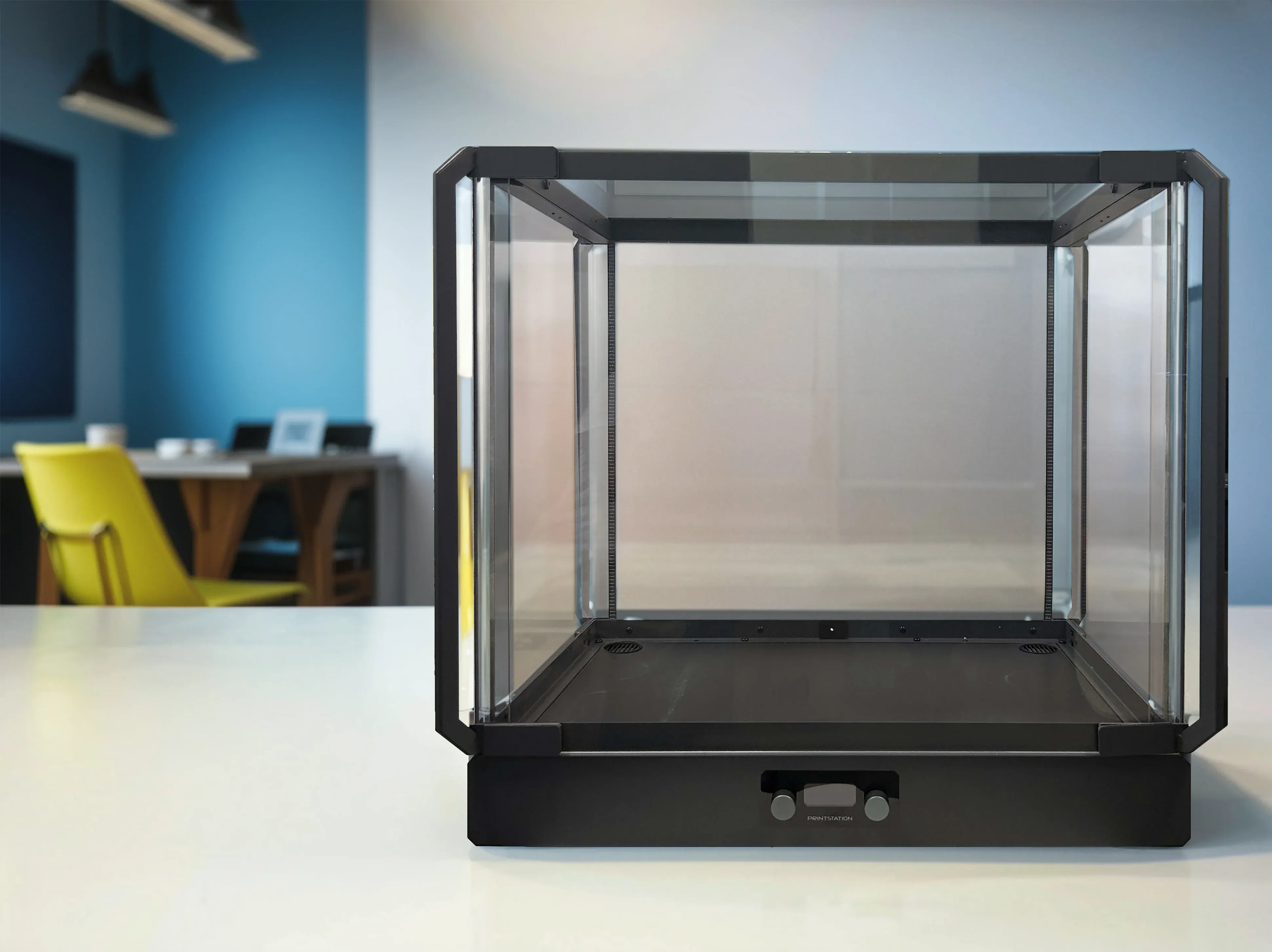
A 3D printer cabinet can make a printing setup cleaner, safer, and easier to manage. It gives the printer a dedicated space while helping control dust, drafts, noise, and temperature changes that may affect print quality.
For hobbyists, schools, offices, and workshops, a cabinet can also improve organisation by keeping filament, tools, and accessories close to the printer. The right design depends on printer size, materials, ventilation needs, and where the printer is located.
What Is a 3D Printer Cabinet?
A 3D printer cabinet is a dedicated structure or piece of furniture designed to hold a 3D printer and, in many cases, its accessories.
Some cabinets are fully enclosed, while others have open sides or removable panels. They may include transparent doors, shelves, storage drawers, ventilation systems, lighting, and cable-management features.
A cabinet is different from a basic enclosure because it often provides both protection and storage. An enclosure usually focuses mainly on surrounding the printer, while a cabinet may organise the entire printing station.
Why Use a 3D Printer Cabinet?
A cabinet can improve both the printing environment and the workspace around the printer.
Better Temperature Stability
Some filaments are sensitive to temperature changes and drafts. A cabinet or enclosed printing area can help create a more stable environment around the printer.
This can be especially useful when printing materials that are more prone to warping.
Reduced Dust Exposure
Dust can settle on printer components, rails, fans, and filament.
A cabinet helps limit direct exposure to airborne dust when the printer is not in use and can make routine cleaning easier.
Lower Noise Levels
3D printers can produce noise from fans, motors, movement, and vibration.
A cabinet may reduce some of that sound, especially if it uses solid panels and vibration-damping materials. The amount of noise reduction depends on the cabinet design and printer.
Improved Safety
A cabinet can create a physical barrier around moving or hot printer components.
This can be useful in homes, classrooms, offices, or shared workspaces where children, pets, or other people may be nearby.
Better Organization
Many 3D printer cabinets include space for:
-
Filament spools
-
Tools
-
Spare nozzles
-
Build plates
-
Cleaning supplies
-
Replacement parts
-
Finished prints
Keeping these items together can make the printing area easier to maintain.
Important Features to Look for in a 3D Printer Cabinet
Not every cabinet suits every printer. Before buying or building one, consider the following features.
Enough Interior Space
Measure your printer carefully before choosing a cabinet.
Don't measure only the printer frame. You should also allow space for:
-
The print bed to move
-
Filament spools
-
Cable movement
-
Toolhead travel
-
Doors or lids
-
Maintenance access
A cabinet that is too tight can make the printer difficult to use or service.
Ventilation
Ventilation is one of the most important features to consider.
Some printing materials can release odours or airborne particles during printing. A cabinet may include vents, fans, or filtration systems to help manage airflow.
The ventilation setup should match the printer, materials, and cabinet location.
Clear Viewing Panels
Transparent panels allow you to monitor prints without opening the cabinet.
Acrylic, polycarbonate, or glass panels are commonly used for visibility while still maintaining separation from the surrounding room.
Strong Construction
The cabinet should be stable enough to support the printer and resist vibration.
Materials may include:
-
Metal
-
Wood
-
Acrylic
-
Polycarbonate
-
Composite panels
The best material depends on the environment, budget, and required durability.
Easy Access
A cabinet should allow convenient access to the printer.
Look for features such as:
-
Large front doors
-
Removable side panels
-
Hinged lids
-
Sliding doors
-
Rear access panels
Easy access is particularly important for maintenance, filament changes, and removing finished prints.
Cable Management
Printers often require power cables, USB cables, network connections, lights, fans, and other accessories.
Built-in cable openings or channels can help keep wiring organised and reduce clutter.
Storage Space
If organisation is a priority, look for cabinets with shelves, drawers, or lower compartments.
A well-designed cabinet can turn the printer into a complete workstation, not just enclose the machine.
3D Printer Cabinet vs. 3D Printer Enclosure
The terms are sometimes used interchangeably, but they can describe different setups.
A 3D printer enclosure usually surrounds the printer itself. Its main purpose may be temperature control, draft reduction, safety, or containment.
A 3D printer cabinet often provides a larger structure that may include an enclosure, plus storage, shelving, and workspace organisation.
If you only need to protect the printer, a simple enclosure may be enough. If you want a permanent printing station with storage and additional features, a cabinet may be more practical.
What Materials Are Best for 3D Printer Cabinets?
Different materials offer different advantages.
Metal
Metal cabinets are durable and stable. They can work well in workshops, schools, laboratories, and industrial environments.
They are usually heavier and may cost more than simpler designs.
Wood
Wood or engineered wood is often used for custom or home-built cabinets.
It is easy to work with and can provide a furniture-style appearance, but you should carefully consider ventilation and heat management.
Acrylic
Acrylic is useful when visibility is important.
Clear acrylic panels can create a clean-looking enclosure while letting users monitor the printer.
Polycarbonate
Polycarbonate is another transparent material and is generally more impact-resistant than acrylic.
It may be preferred in environments where durability is a priority.
Do 3D Printer Cabinets Need Ventilation?
Many setups benefit from some form of ventilation, but the exact requirements depend on what you print and where the printer is located.
A cabinet should not simply trap heat or airborne emissions without considering airflow.
Possible ventilation features include:
-
Passive vents
-
Exhaust fans
-
Ducting
-
HEPA filtration
-
Activated carbon filtration
Before adding ventilation, consider the printer manufacturer's recommendations and the materials you plan to use.
Can a Cabinet Improve Print Quality?
A cabinet may help improve consistency in certain situations by reducing drafts and sudden temperature changes.
This can be particularly helpful with materials that are more sensitive to environmental conditions.
However, a cabinet cannot fix mechanical or calibration problems such as:
-
Poor bed levelling
-
Incorrect nozzle temperature
-
Loose belts
-
Wet filament
-
Worn printer components
View it as part of a complete printing setup, not a solution to every print-quality problem.
Where Should You Place a 3D Printer Cabinet?
Place the cabinet on a stable, level surface with enough room for airflow and maintenance.
Avoid locations with:
-
Heavy foot traffic
-
Direct sunlight
-
Excessive moisture
-
Strong drafts
-
Limited ventilation
-
Unstable flooring
You should also make sure the electrical outlet is easily accessible and the cabinet does not block emergency access to power.
What Size 3D Printer Cabinet Do You Need?
Start with the printer's full dimensions and then add clearance around all moving parts.
For example, printers with moving beds may require much more front-to-back space than their frame dimensions suggest.
Also consider whether you want room for future upgrades such as:
-
Larger spool holders
-
Filament dryers
-
Cameras
-
Lighting
-
Air filtration
-
Multi-material systems
Choosing a slightly larger cabinet can make future changes easier.
Should You Buy or Build a 3D Printer Cabinet?
Both options can work well.
Buying a Cabinet
A ready-made cabinet may be a good choice if you want:
-
Faster installation
-
A finished appearance
-
Integrated ventilation
-
Professional construction
-
Less assembly work
Building Your Own
A custom cabinet may be better if you need:
-
An unusual size
-
Specific storage
-
Custom ventilation
-
A particular material
-
A lower-cost DIY solution
Building your own also gives you more control over the layout, but it requires careful planning.
How to Choose the Right 3D Printer Cabinet
Before making a decision, ask yourself:
-
How large is my printer?
-
Which materials do I print?
-
Do I need ventilation or filtration?
-
Is noise reduction important?
-
Do I need storage?
-
Will the printer be used in a shared space?
-
How often do I need access for maintenance?
-
Do I expect to upgrade the printer later?
Answering these questions can help narrow down the best cabinet design for your setup.
Final Thoughts
A 3D printer cabinet can provide a cleaner, more organised, and more controlled printing environment. It may help reduce dust, limit drafts, lower noise, improve safety, and keep printing supplies in one place.
The best cabinet isn't necessarily the largest or most expensive. It should fit your printer properly, provide safe access and airflow, and match the way you use your printing space.
Whether you buy a ready-made model or build a custom setup, a well-planned cabinet can make everyday 3D printing more convenient and easier to manage.